Tracking user behavior in mobile apps has never been more important. With tools like session replays, heatmaps, and AI-driven insights, businesses can now understand not just what users do, but why they do it. This is crucial for improving user experience, reducing churn, and increasing conversions.
Here’s a quick look at the top session tracking tools for 2026:
- UXCam: Lightweight SDK with autocapture, heatmaps, and AI analysis. Free tier supports up to 3,000 sessions/month.
- Smartlook: Tracks interactions across apps and websites, with rage click detection and funnel integration. Free for 3,000 sessions.
- LogRocket: Focuses on debugging with session replays, technical logs, and AI-powered bug detection. Free for 1,000 sessions/month.
- Microsoft Clarity: Completely free, unlimited sessions, with frustration tracking and heatmaps.
- FullStory: Detailed replays using "draw instructions" for low resource usage. Free for 30,000 sessions/month.
- Firebase Analytics: Free event tracking with BigQuery export, but lacks native session replay.
- Datadog Mobile Session Replay: Integrated with backend monitoring; pricing starts at $2.50 per 1,000 sessions.
- Mixpanel: Combines event tracking with limited session replay. Free for 1M events/month.
- Inspectlet: Focused on mobile websites, with heatmaps and form analytics. Free for 5,000 session replays.
- Marketing Analytics Tools Directory: A comprehensive database for comparing tracking solutions.
Key takeaway: Whether you’re optimizing user flows, debugging issues, or analyzing drop-offs, there’s a tool tailored to your needs. Choose based on platform compatibility, pricing, and features like AI insights or integration options.
Quick Comparison
| Tool | Platforms Supported | Free Tier | Key Features | Starting Price (Paid Plans) |
|---|---|---|---|---|
| UXCam | iOS, Android, React Native, Flutter | Yes | Heatmaps, AI analysis, autocapture | Custom pricing |
| Smartlook | iOS, Android, Unity, Web | Yes | Funnel replays, rage click tracking | $55/month |
| LogRocket | iOS, Android, React Native, Flutter | Yes | Debugging, AI bug detection | $69/month |
| Microsoft Clarity | iOS, Android, React Native | Yes | Unlimited sessions, heatmaps | Free |
| FullStory | iOS, Android, Web | Yes | Privacy-focused session replays | Custom pricing |
| Firebase Analytics | iOS, Android, Web | Yes | Event tracking, BigQuery export | Free |
| Datadog | iOS, Android, React Native | Trial | Frontend + backend integration | $2.50/1,000 sessions |
| Mixpanel | iOS, Android, Web | Yes | Event tracking, AI replay summaries | $24/month |
| Inspectlet | Mobile websites | Yes | Heatmaps, form analytics | $39/month |
Choosing the right tool depends on your app's goals, budget, and team needs.
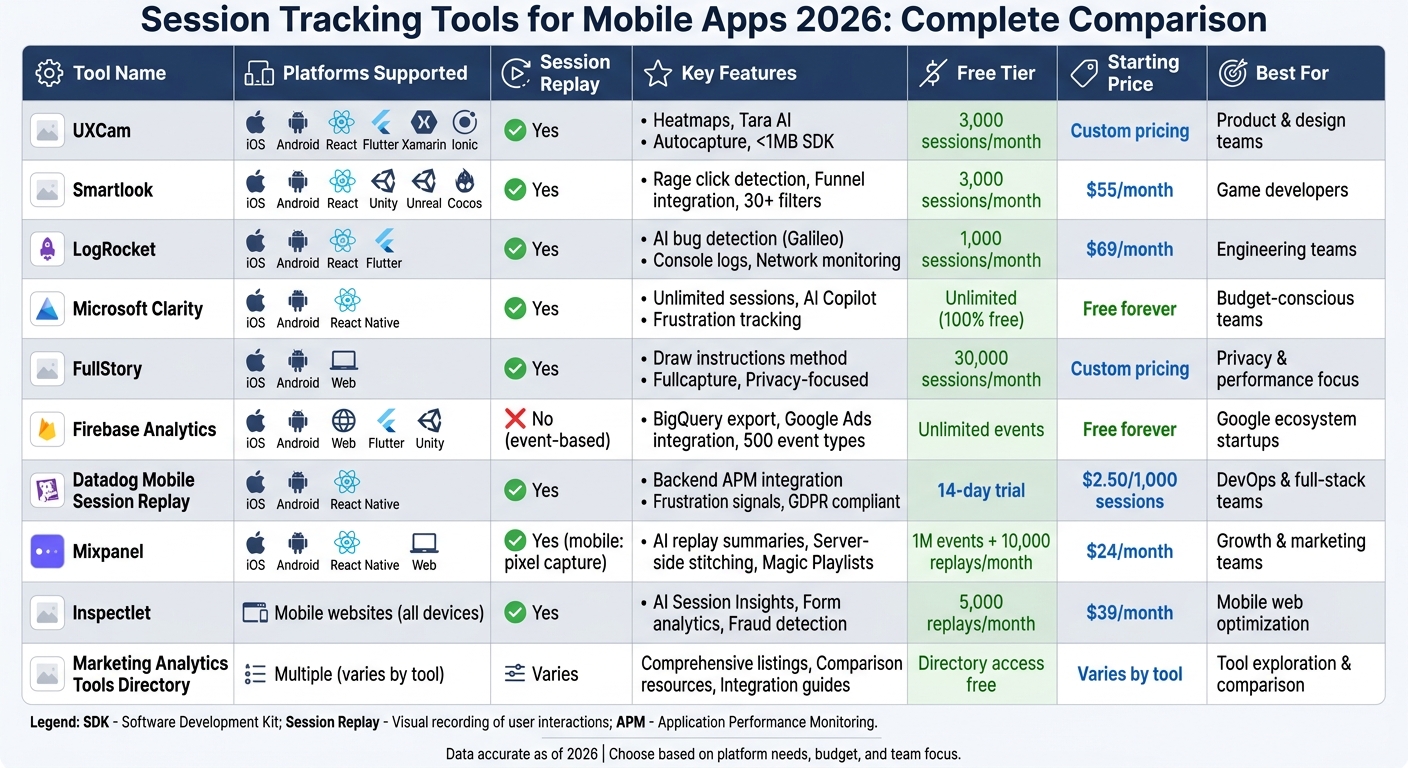
Top 10 Mobile App Session Tracking Tools 2026: Features, Pricing & Platform Comparison
1. UXCam
Platform Support
UXCam supports a wide array of platforms, including iOS, Android, React Native, Flutter, Xamarin, Cordova, Ionic, .NET, and top website analytics tools. This makes it a solid choice for developers working across multiple platforms. The SDK is designed to be lightweight - taking up less than 1MB of memory - and uses between 50KB and 500KB of bandwidth per minute of video. This ensures that it won't slow down your app or drain users' data plans [6][8].
Session Replay and User Interaction Tracking
With its tagless autocapture feature, UXCam records every interaction - taps, swipes, scrolls, and screen transitions - without requiring manual setup. This retroactive analysis can uncover rage taps, dead taps, UI freezes, and crashes, all of which can harm user retention [4][8][10]. These insights help teams quickly identify and resolve usability issues.
The platform's Tara AI automatically flags problems and even suggests fixes. Daniel Lee, Senior Product Manager at Virgin Mobile, shared his experience:
"Tara highlighted the top issues I would have spent 20 hours to find, and it did it very quickly" [9].
UXCam also provides heatmaps that show where users tap, scroll, and focus. This makes it easier to identify overlooked buttons or confusing design elements. For instance, Costa Coffee used UXCam’s insights to redesign an onboarding screen, which led to a 15% increase in user registrations [1][5][7].
Pricing Structure and Free Tier
UXCam offers a range of pricing plans to suit different needs. The free plan allows for 3,000 monthly sessions with six months of data retention, making it a good choice for early-stage testing. However, it may not be enough for apps with higher traffic [4][9].
- The Starter plan supports up to 10,000 sessions with data retention extended to 12 months.
- The Growth plan includes advanced features like Tara AI, analytics for business including user journeys, and 24 months of storage.
- Enterprise customers can access custom session volumes, 60-month retention, and dedicated success management.
A 14-day free trial is also available, offering access to Growth plan features and up to 100,000 sessions [6][9].
Integration Options
UXCam integrates smoothly with tools like AppsFlyer, Adjust, Mixpanel, Amplitude, Segment, Salesforce, Intercom, and Zendesk. This allows session replays to be tied directly to attribution data, support tickets, or funnel analytics [4][11]. Such integrations make it easier to connect UX insights with broader performance and support workflows, simplifying the troubleshooting process.
sbb-itb-5174ba0
2. Smartlook
Platform Support
Smartlook is compatible with a wide range of platforms, including iOS, Android, React Native, Flutter, Unity, Unreal Engine, Cocos, Cordova, Ionic, and Xamarin [13]. It also extends its capabilities to website analytics, enabling user tracking across both mobile apps and web platforms [13][14]. Its SDK automatically captures every interaction, from the moment the app launches to when it closes [15]. To optimize performance, Smartlook uses wireframe rendering, which reduces CPU usage and battery drain by generating abstract UI representations instead of full screenshots [13][15]. Trusted by more than 2,800 organizations, Smartlook provides a robust foundation for tracking sessions and user interactions [13].
Session Replay and User Interaction Tracking
Smartlook excels in delivering detailed session replays and interaction data. It automatically records touches, gestures, UI focus, and screen navigation without requiring developers to set up manual event tagging [13]. With over 30 filters - such as device type, OS version, and session duration - it’s easy to locate specific recordings [13][15]. The tool also identifies rage clicks automatically, helping teams pinpoint user frustrations [13]. One of its standout features is the seamless connection between funnel analysis and session replays. For instance, you can click "Play" on any funnel drop-off point to review related user sessions [13][15].
A real-world example of this feature in action comes from AstroPay, a digital payment platform. In 2023, the company discovered that confusion over pending transaction statuses was leading to drop-offs. By adding a "Purchase pending" banner and offering local currency options, AstroPay boosted its funnel conversion rate by 56% [13]. Similarly, Hookle, a social media management app, used Smartlook's Flutter-compatible SDK to debug edge cases. This saved their team around 10 hours per week on reproducing bugs [15].
Pricing Structure and Free Tier
Smartlook offers a free plan that includes 3,000 monthly sessions with one month of data retention [13][14]. For more advanced needs, the Pro plan starts at $55 per month, providing access to over 5,000 sessions, three months of data retention, and premium integrations [13][14]. Enterprise pricing is tailored to specific requirements, offering features like unlimited users, REST API access, and single sign-on (SSO). All paid plans come with a 30-day free trial [14].
Integration Options
Smartlook integrates with over 50 tools, including Slack, Salesforce, Intercom, Zendesk, Mixpanel, JIRA, Sentry, and Zapier [14][17]. Its Identify API allows you to link session recordings with user identifiers, simplifying troubleshooting [13][15]. To conserve mobile data, session recordings are uploaded only when a device is connected to Wi-Fi by default, though you can enable cellular uploads if necessary [13][16].
3. LogRocket
Platform Support
LogRocket works seamlessly across various platforms, including iOS, Android, web, and cross-platform frameworks like React Native and Flutter [18][19][23]. With dedicated SDKs for each environment, integration is straightforward and efficient. Its lightweight design - under 1 MB - ensures your app remains fast and responsive. Trusted by over 3,000 customers, LogRocket helps optimize user experiences [20].
Session Replay and User Interaction Tracking
LogRocket stands out with its ability to capture both visual and technical aspects of user interactions. It provides pixel-perfect session replays for both web and native apps [21]. Using Autocapture, it automatically tracks key events like page views, taps, and swipes - no manual setup required [19][24]. Beyond user actions, it also logs technical data such as console logs, network requests, errors, crashes, warnings, and performance metrics [19][24].
The platform’s AI-powered Galileo tool leverages machine learning to pinpoint user frustrations and technical problems [19][24]. Galileo even generates step-by-step reproduction guides, making it easier for engineers to fix elusive bugs. As Rachel Miner, Senior Product Manager, put it:
"LogRocket has data we can't get anywhere else" [21].
To safeguard privacy, LogRocket automatically masks sensitive information like Social Security numbers and credit card details, ensuring this data isn’t stored on its servers [21].
Pricing Structure and Free Tier
LogRocket’s pricing adapts based on mobile usage. It offers a free plan that includes 1,000 sessions per month with one-month data retention. The Team plan starts at $139/month and supports 10,000 to 50,000 sessions. For $350/month (billed annually), the Professional plan adds AI-driven struggle detection and advanced product analytics [25][26]. For organizations handling over 1 million sessions monthly, custom Enterprise pricing includes features like conditional recording and self-hosting options [24]. All paid plans include native mobile replay, but advanced tools like Galileo AI and detailed analytics are reserved for higher-tier plans [23][24].
Integration Options
LogRocket enhances its functionality with over 75 pre-built integrations [22]. It connects effortlessly with analytics tools like Firebase, Google Analytics, Mixpanel, Amplitude, and Segment; error management platforms such as Jira, GitHub, Sentry, Rollbar, and PagerDuty; customer support systems like Intercom, Zendesk, HubSpot, and FreshDesk; and data storage solutions including BigQuery, Snowflake, and Amazon S3 [22]. The platform also adheres to GDPR, CCPA, and SOC II compliance standards. For enterprise users, it offers both SaaS and self-hosted deployment options [24].
4. Inspectlet
Platform Support
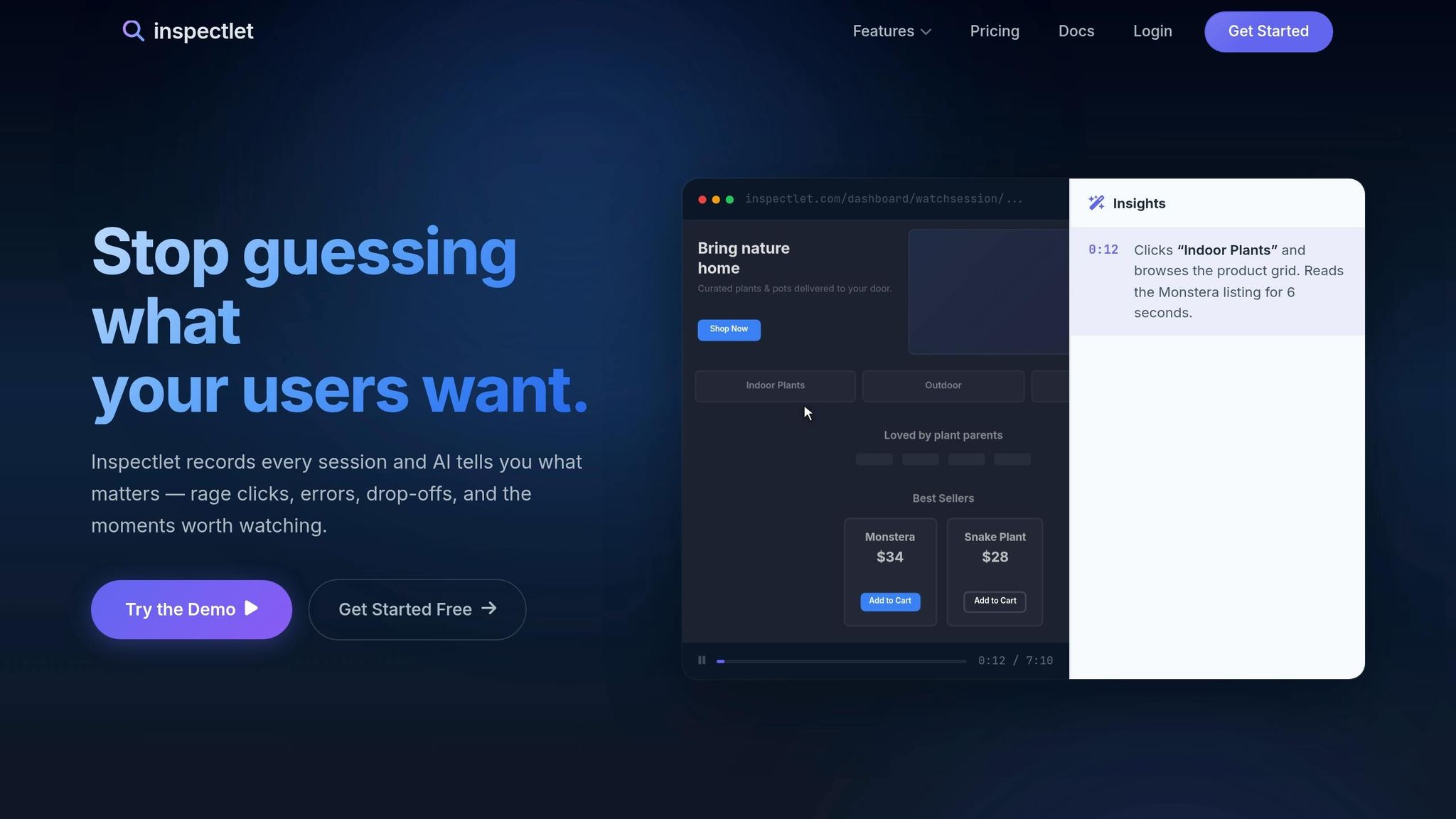
Inspectlet stands out for its focus on mobile website tracking rather than native mobile apps. It supports all modern websites and works effortlessly with JavaScript-heavy frameworks like React, Vue, and Angular [28][29]. The platform delivers heatmaps tailored for mobile websites, tracking user interactions like taps, scrolls, and eye movements across different device breakpoints [28][29]. Integration is straightforward, requiring just an asynchronous JavaScript snippet, ensuring your site speed remains unaffected [27][29]. With over 7 billion pageviews tracked monthly across 78,080 websites and a 99.9% uptime guarantee, Inspectlet has established itself as a reliable tool for web tracking [27].
Session Replay and User Interaction Tracking
Inspectlet provides detailed session replays, capturing every click, scroll, mouse movement, and even keypress [31]. Its AI Session Insights feature adds another layer of convenience by automatically analyzing sessions and highlighting potential issues like "rage clicks", JavaScript errors, and conversion drop-offs [31]. For example, it pinpoints friction points like repeated clicks on unresponsive elements or identifies which form field led to an abandoned submission [31].
Sheryl Carr shares her experience with the tool:
"Inspectlet saves so much guesswork when customers write in with problems. Just watch the recording of what the user did in your web app." [27]
Guy Riese, CEO, also highlights its impact:
"By using Inspectlet to screen suspect transactions for tell-tale signs of obvious fraud, we've saved over $50,000 in potential losses by picking up on the scam and not shipping the items." [31]
Pricing Structure and Free Tier
Inspectlet's pricing is accessible for businesses of all sizes. It offers a free plan that includes 5,000 session replays with one month of storage, and no credit card is required [29]. Paid plans start at $39/month (Micro) for 10,000 replays, scaling up to $1,799/month for enterprise-level features like 2 million replays and 24-month storage [29]. The $149/month Growth plan unlocks additional capabilities such as API access and Form Analytics, while higher-tier plans expand replay limits and storage durations [29]. All plans include mobile web support and AI-driven insights, making them suitable for teams of varying sizes [29].
Integration Options
Inspectlet enhances its tracking capabilities with seamless integration options. Its JavaScript Tagging API allows developers to attach custom metadata to specific sessions [30]. From the Growth plan onward, users gain API access for data export and third-party tool integration [29]. The Identify API is particularly useful for linking session recordings with individual user data, such as email addresses, enabling support teams to quickly locate and resolve customer-reported issues [15][32]. To ensure privacy compliance, Inspectlet includes wireframe rendering modes that mask sensitive information like passwords and credit card details automatically [15].
5. Microsoft Clarity
Platform Support
Microsoft Clarity works seamlessly with native iOS (UIKit/SwiftUI) and Android (Jetpack Compose) platforms. It also supports popular cross-platform frameworks like React Native and Flutter (v3.19.0+). On Android, the SDK adds about 400 KB to the APK size, while on iOS, it increases the IPA size by roughly 900 KB. Its initialization is quick, taking only 1–2 milliseconds, with a minimal impact on performance - just a 3–5% increase in frame time. Additionally, Cordova and Ionic are supported but only on Android. With over 2 million sites and apps worldwide relying on Clarity, its dependability is clear [33].
Session Replay and User Interaction Tracking
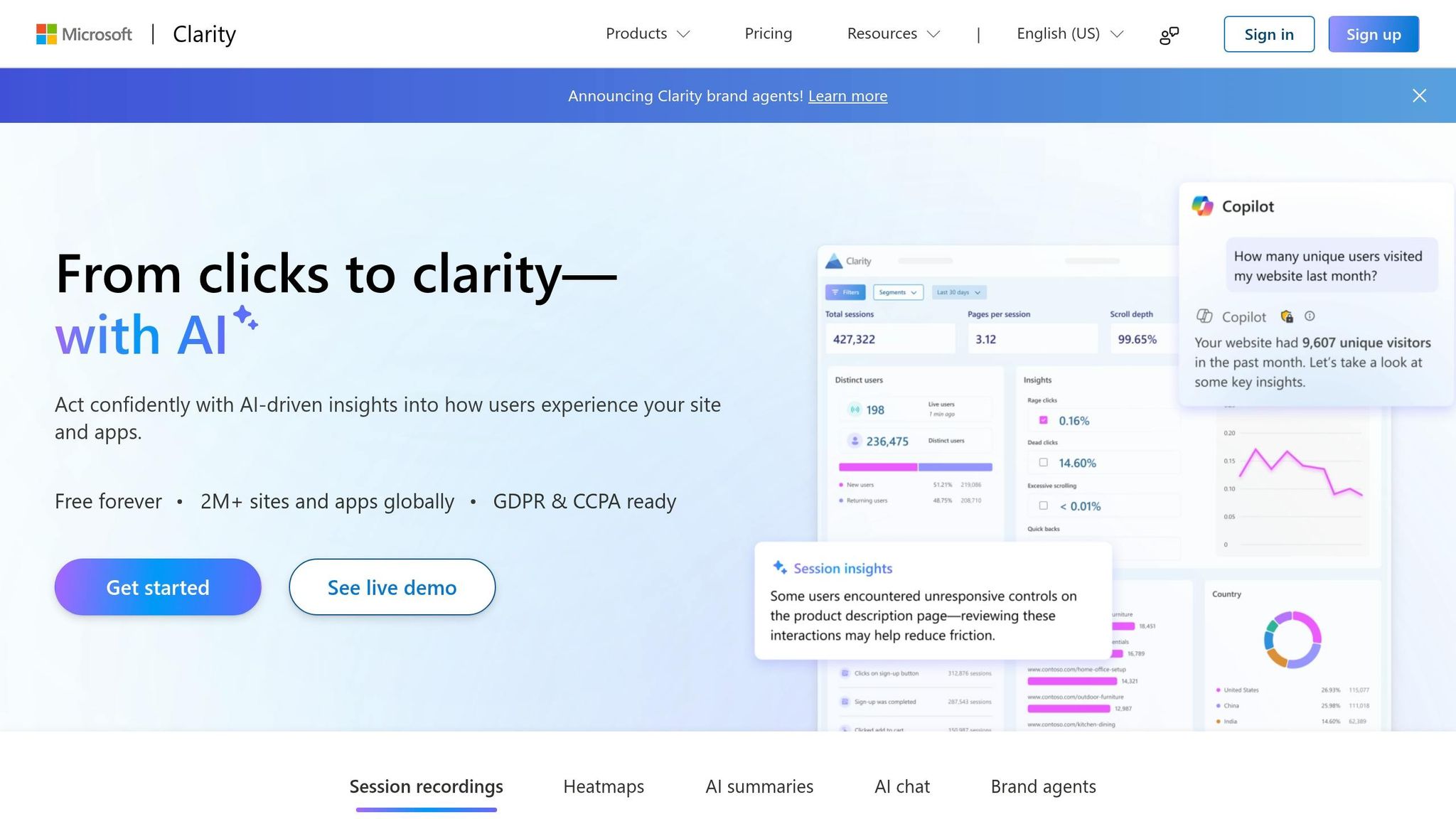
Clarity uses low-level drawing commands instead of video to reconstruct sessions, resulting in high-quality replays that consume just ~10 KiB/s of bandwidth. It tracks user interactions like taps, double taps, touches, and scrolls, while also identifying frustration signals such as rage taps and dead taps [33].
Its AI-powered Copilot feature offers session summaries and allows natural language queries, making it easier to pinpoint user journeys and uncover friction points.
Scott Kivowitz, Chief Community Officer at Imagely, highlights Clarity's capabilities:
"For a user experience analytics tool, I don't think you will find a better solution than what Microsoft has done with Clarity." [2]
Paras Makhija, a B2C Growth Strategist, shares his experience:
"Watching real users interact with our platform - in all their scrolls, pauses, rage taps, and exits - helped us identify friction points that numbers alone couldn't surface." [34]
These advanced tracking features, paired with its ease of use, make Clarity a standout choice.
Pricing Structure and Free Tier
Microsoft Clarity is entirely free to use. There are no limits on traffic, no restrictions on recordings, and it captures 100% of sessions without sampling. Standard recordings are stored for 30 days, while "Favorite" recordings are retained for up to 13 months. Its no-cost model ensures that even small businesses can access enterprise-level user experience insights [33][35].
Integration Options
Clarity offers a wide range of integrations to enhance its session analysis capabilities. It connects with GA4 for a blend of qualitative and quantitative insights through marketing analytics tools, integrates with Firebase Crashlytics to replay sessions that led to crashes, and works with platforms like Google Ads, Shopify, WordPress, HubSpot, Amplitude, Mixpanel, and Sentry. Clarity also prioritizes privacy, complying with GDPR and CCPA regulations, and masks sensitive data by default [33].
Mobile Session Recording: The Complete Guide 2026
6. FullStory
FullStory stands out with its efficient and innovative approach to tracking user sessions and interactions.
Platform Support
FullStory is compatible with iOS, Android, and web platforms, making it a flexible option for teams managing multi-platform user experiences. It provides a dedicated Mobile add-on and a lightweight SDK that captures user behavior across major mobile operating systems without draining device resources. Whether you're working with native or hybrid environments, FullStory is designed to adapt seamlessly, offering advanced session replays and interaction insights.
Session Replay and User Interaction Tracking
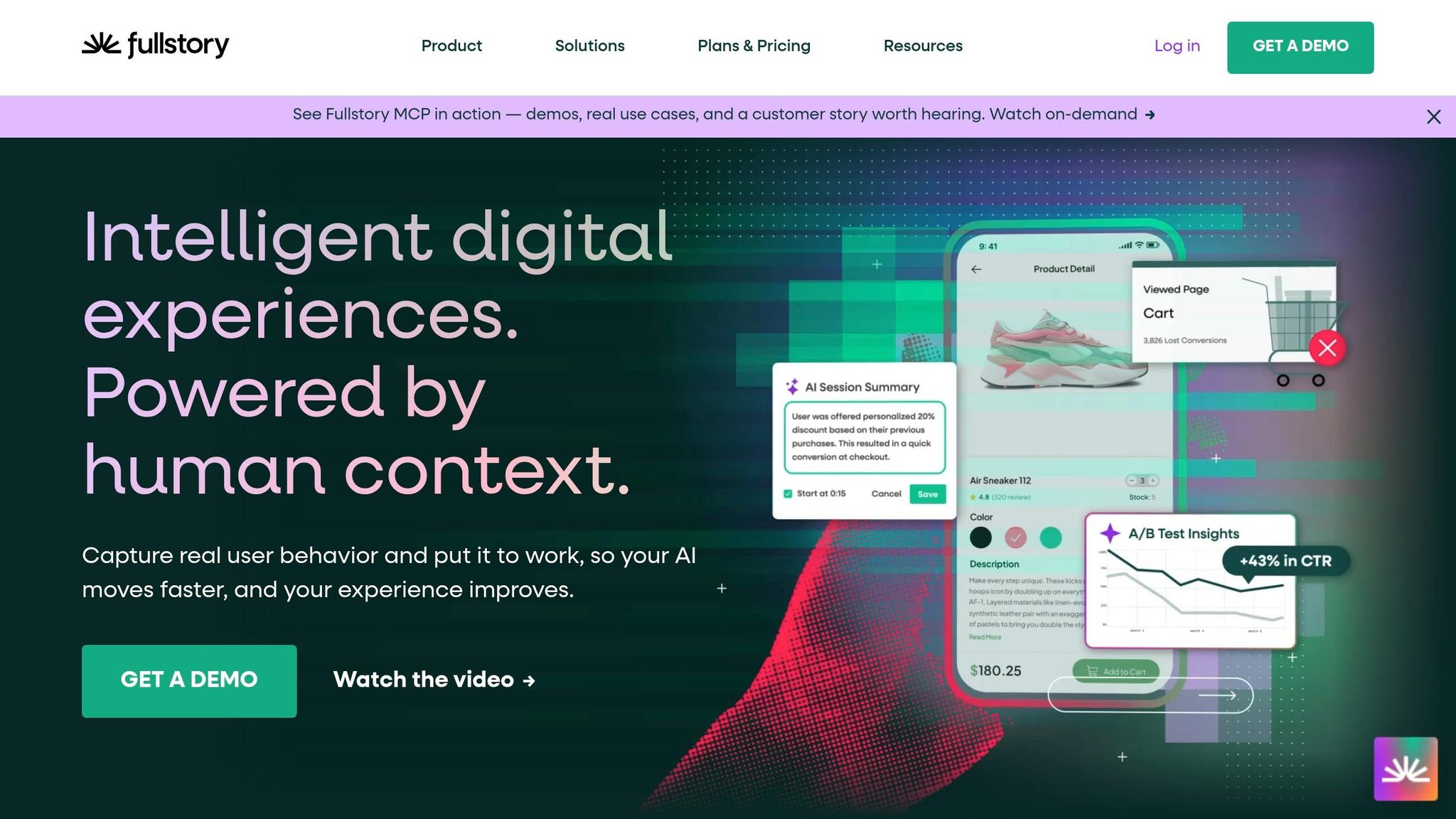
Instead of traditional video recording, FullStory uses a "draw instructions" method to replay app views. This approach ensures high-quality replays while keeping bandwidth and memory usage low. With its Fullcapture feature, FullStory automatically tracks every user interaction without requiring manual tagging. This means teams can revisit and analyze data retroactively, even for events they didn't initially plan to track.
Between 2024 and 2025, mobile app usage experienced a staggering 332% growth. However, this surge came with challenges: error-related exits increased by 254%, and bounce rates rose by 54% [38]. FullStory's automatic error detection and crash reporting tools are particularly helpful in identifying and addressing these friction points before they escalate.
Kelly Hoover, Senior Product Manager at Sendoso, highlights the platform's value:
"Fullstory lets us look at user behavior both individually and holistically across all of our users. We can also use Fullstory to easily see when something like a simple UX issue is causing a lot of confusion, which is a gold mine of information for taking our user experience to the next level." [37]
Privacy is a key focus for FullStory. Sensitive data is masked directly on the device before being transmitted, ensuring that no personally identifiable information leaves the user's phone.
Pricing Structure and Free Tier
FullStory offers a pricing structure that reflects its range of features. The FullStory Free plan is a permanent option, providing 30,000 monthly sessions, 12 months of data retention, and access for up to 10 users. For teams ready to scale, three paid tiers are available:
- Business: Focused on product analytics and qualitative insights.
- Advanced: Designed for scaling organizations and funnel optimization.
- Enterprise: Built for data science teams working on predictive models.
Mobile analytics is offered as an add-on across all paid plans, alongside features like StoryAI, Multi-Org Management, and Guides and Surveys [36].
Integration Options
FullStory combines mobile and web data into a single, unified dashboard. It also provides console and network logs to assist technical teams in debugging performance issues specific to mobile platforms. For Android developers, the API supports both Java and Kotlin, giving them detailed control over session recording, event tracking, and privacy masking.
7. Firebase Analytics
Firebase Analytics is Google's free tool designed to track events in mobile and web apps. It works seamlessly with iOS, Android, web applications, and cross-platform frameworks like Flutter, Unity, and C++ [39][41][43]. While it doesn’t offer built-in visual session replays, it pairs well with session replay solutions to fill that gap.
Session Replay and User Interaction Tracking Capabilities
Firebase Analytics uses an event-based model, which means it doesn’t provide native visual session replays. However, it automatically captures key session parameters like ga_session_id and ga_session_number, enabling developers to group events by session and calculate metrics like average events per session [45]. A session begins with a session_start event when the app enters the foreground and ends after 30 minutes of inactivity [45].
Although visual session replay isn’t included natively, Firebase integrates with tools like Contentsquare to add this feature within the Firebase Crashlytics dashboard [44]. For more advanced analysis, raw event data can be exported to BigQuery, where developers can run detailed SQL queries to uncover user behavior patterns [39][40]. The SDK also tracks engagement time using the engagement_time_msec parameter, which measures how long the app remains in the foreground [45]. These data-driven insights make Firebase Analytics a powerful and budget-friendly analytics solution.
Pricing Structure and Availability of Free Tiers
Firebase Analytics is entirely free - there’s no paid tier for its analytics features [46][47]. It allows unlimited event reporting but caps the number of unique event types at 500 [46][42]. Both the Firebase "Spark" (free) and "Blaze" (pay-as-you-go) plans include this service at no cost [48]. While exporting raw data to BigQuery is free within sandbox limits, additional costs may apply under the Blaze plan if those limits are exceeded. Despite this, the core analytics features remain free [48].
Real-world examples highlight its impact. Pomelo Games, a game studio from Uruguay, used Firebase Analytics along with Remote Config and A/B Testing to optimize interstitial ads, boosting revenue by up to 35% without compromising player retention or app stability [46]. Similarly, KCB Group, an East African bank, reduced their cost per install by 24% by leveraging Firebase Analytics insights to refine their marketing strategies [46].
Integration Options
Firebase Analytics goes beyond basic tracking by integrating smoothly with both Google services and third-party tools. It connects with Google Ads, AdMob, and Google Marketing Platform, as well as external tools like Slack, Jira, and BigQuery [43]. Developers can create custom audiences based on device data, user properties, or events, making it easy to target users through other Firebase features like Remote Config or Cloud Messaging [39]. Additionally, when paired with Crashlytics, the SDK logs events for each crash, giving developers insights into crash rates across app versions or regions [39].
8. Datadog Mobile Session Replay
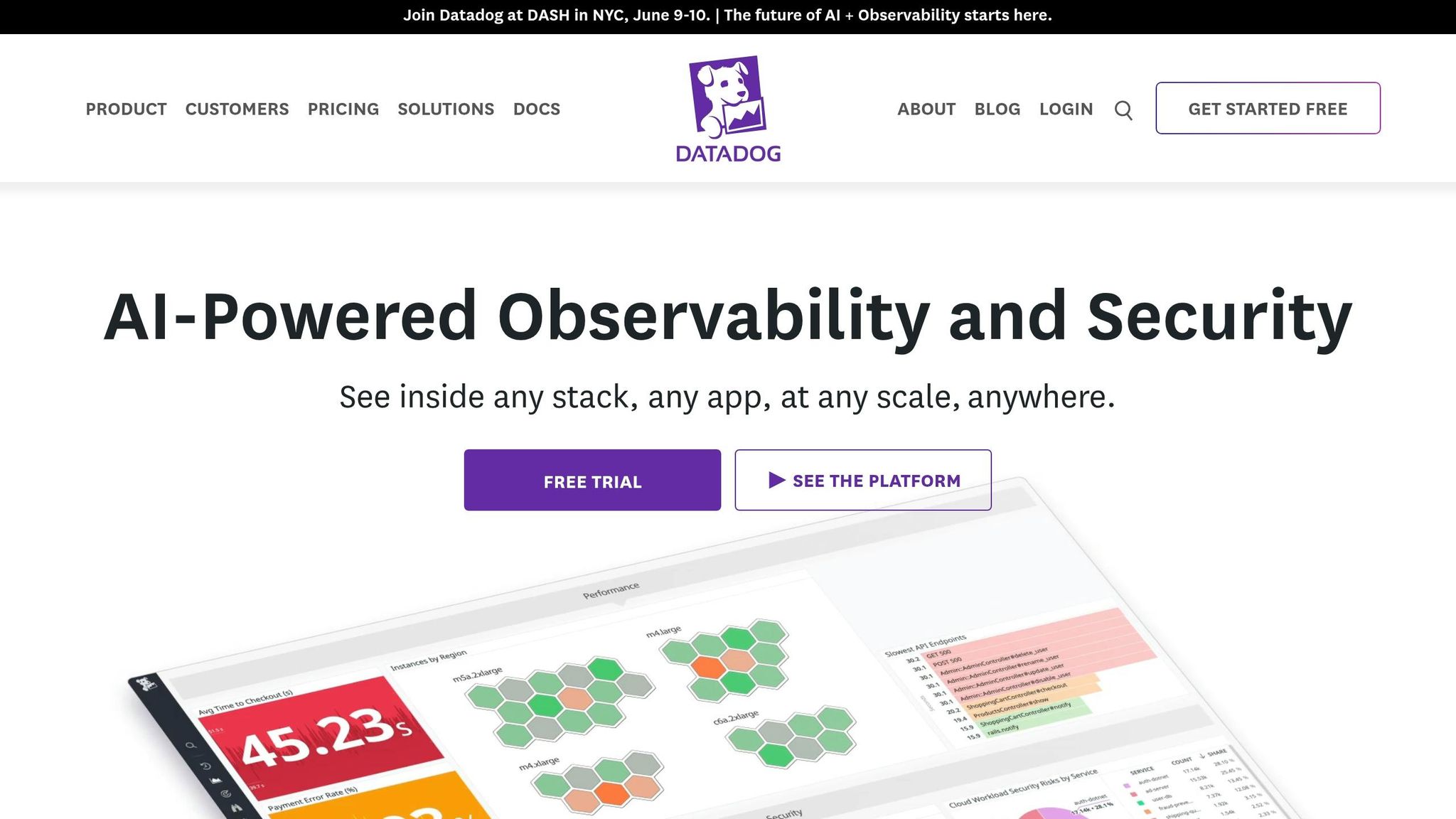
Datadog Mobile Session Replay is a feature within Datadog's comprehensive observability platform, designed to provide visual recreations of user interactions. It supports native iOS (Swift, Objective-C), native Android (Java, Kotlin), and React Native, working seamlessly with both imperative UI frameworks (like UIKit for iOS and XML for Android) and declarative ones (such as SwiftUI and Jetpack Compose) [49]. Built on solid tracking capabilities, it delivers in-depth insights into user sessions.
Session Replay and User Interaction Tracking Capabilities
This tool captures a detailed visual timeline of user sessions, including views, actions, and "Frustration Signals" like rage clicks or error taps, which help highlight problem areas. Its "Jump to Replay" feature allows teams to move directly from performance waterfalls or error logs to the corresponding visual replay [49].
"Mobile Session Replay provides a visual reproduction of user engagement with your application on a mobile device, enabling developers to recreate bugs and understand where things went wrong from the user's point of view."
- Jessica Manheimer and Nicholas Thomson, Technical Content Writers, Datadog [49]
What makes Datadog stand out is its seamless integration of frontend replays with backend APM traces. This connection lets developers quickly identify whether backend issues, such as timeouts or API failures, are causing errors - without the need to switch tools. Additionally, all sensitive data is automatically masked to comply with GDPR, and privacy settings can be customized for greater control [51].
Pricing Structure and Availability of Free Tiers
Datadog offers a 14-day free trial for its entire suite, including Mobile Session Replay [50]. After the trial, the feature is available as a RUM add-on with the following pricing options:
- $2.50 per 1,000 sessions (annual plan)
- $3.00 per 1,000 sessions (month-to-month)
- $3.60 per 1,000 sessions (on-demand)
The platform uses a high-watermark billing model based on the 99th percentile of usage, which may result in higher costs during traffic spikes. Performance metrics are retained for 15 months, enabling long-term trend analysis [50].
Integration Options
Mobile Session Replay integrates effortlessly with Datadog Log Management, Error Tracking, and APM to offer a unified view of both frontend and backend performance [49]. It also works with CI/CD tools like GitHub, GitLab, and Jenkins through the Mobile App Testing suite. This integration helps teams identify whether specific app versions or feature flags are contributing to performance issues. Moreover, teams can capture 100% of sessions but apply retention filters to focus on critical data, such as errors or essential workflows [50].
9. Mixpanel
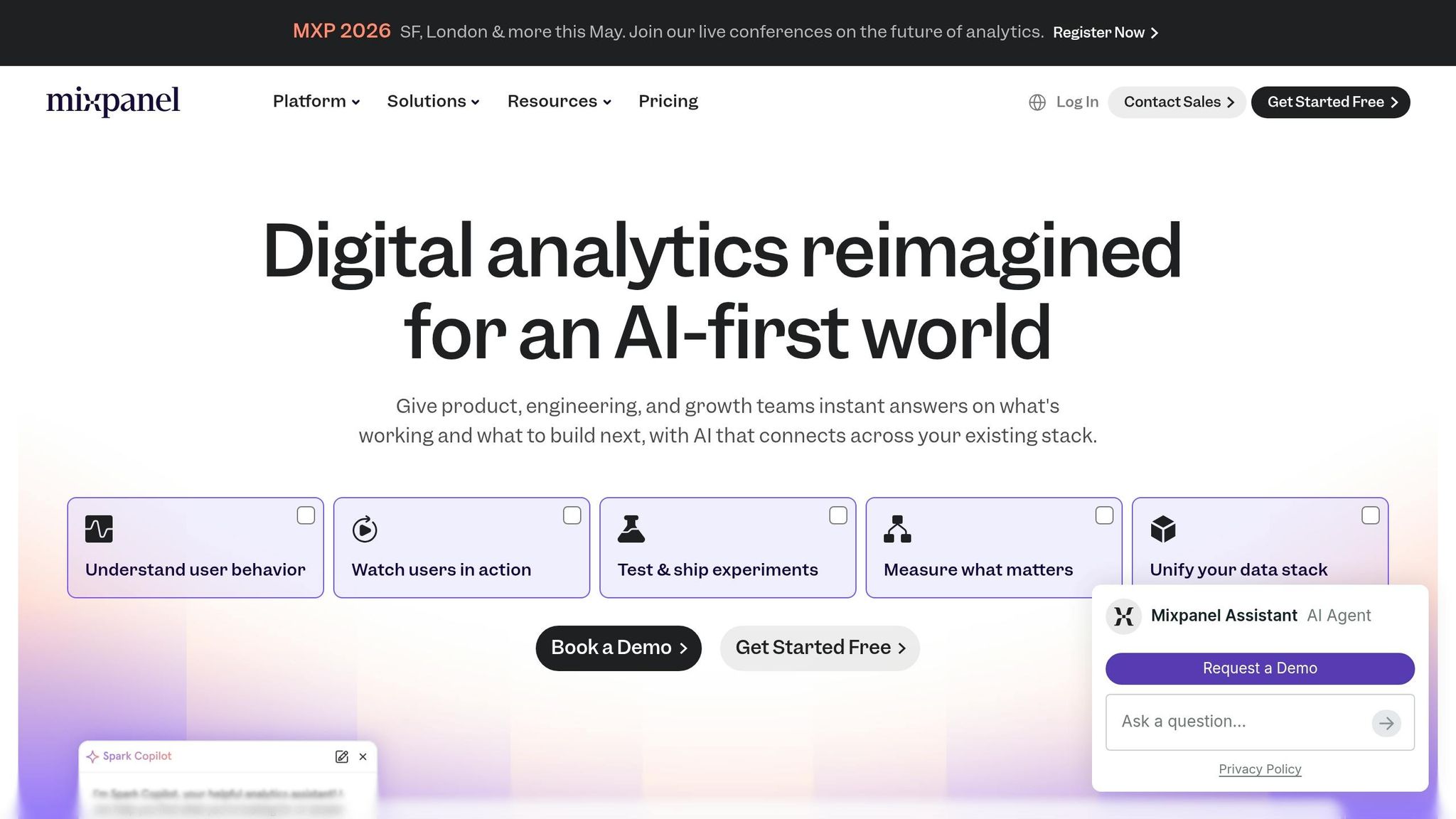
Mixpanel stands out as a key player among session tracking tools for mobile apps in 2026. This platform combines event tracking with visual session replay, offering something unique compared to web-based tools that rely on DOM changes. Instead, Mixpanel’s mobile session replay captures actual screen pixels, enabling it to record interactions like scrolls, carousels, and auto-scrolling elements. It’s compatible with native iOS (SwiftUI and UIKit), Android (XML-based apps and Jetpack Compose), React Native, and web applications [52].
Session Replay and User Interaction Tracking Capabilities
Mixpanel’s Activity Feed offers a detailed, chronological view of events, console logs, and network calls from each session. Replays are available in under a minute [52]. One of its standout features is server-side stitching, which connects front-end replays to back-end events using a shared Distinct ID [53]. AI-powered replay summaries highlight important moments and friction points, while Magic Playlists group replays based on user behavior patterns [56].
"Mixpanel enables detailed user behavior analysis and rapid optimization."
- Nick Lin, Senior Product Marketing Manager, Mixpanel [53]
For privacy-conscious developers, Mixpanel masks all text, images, and WebViews by default. Developers using Jetpack Compose (Android) or SwiftUI (iOS) can mark sensitive views manually with the mpReplaySensitive modifier [92,96]. Additionally, the wifiOnly setting - enabled by default - ensures replay data uploads happen only over WiFi, avoiding cellular data charges for users [92,96]. By combining visual and event data, Mixpanel offers a comprehensive solution for session tracking.
Pricing Structure and Free Tier Availability
Mixpanel’s "Free Forever" plan includes 1 million monthly events and 10,000 session replays [55]. Its Growth plan ups the ante with 20,000 free monthly replays and charges $0.28 per 1,000 events beyond the first million [55]. Enterprise plans also include 20,000 free monthly replays but allow customizable retention periods ranging from 7 to 360 days, compared to the standard 30 days [52]. Startups that are less than 5 years old and have under $8 million in funding can take advantage of the Startup Plan, which offers the first year free [55].
Integration Options
Mixpanel integrates seamlessly with over 100 marketing and data tools, including Snowflake, BigQuery, and Segment, making analytics workflows more efficient [93,102]. For customer data platforms like Segment and mParticle, the Mixpanel Session Replay SDK must be installed on the client side to enable replay functionality [91,92,96]. Paid users also gain access to advanced features like managing sampling rates and SDK settings directly through the Mixpanel UI, with updates typically applied within an hour [52].
10. Marketing Analytics Tools Directory
The Marketing Analytics Tools Directory provides a detailed list of mobile session tracking tools designed for various platforms, making it easier to analyze user behavior in mobile environments [54].
Session Replay and User Interaction Tracking Capabilities
These tools focus on delivering in-depth insights into user sessions by capturing detailed interactions such as taps, swipes, and gestures. They also provide essential technical data like console logs, network requests, and crash reports. Importantly, they prioritize user privacy by using on-device masking to protect sensitive information [12][57]. It’s worth checking for masking support on newer frameworks to ensure compatibility [54].
"Clarity for Android has become our go-to tool for analyzing user behavior in our Android apps. It helps us understand how users interact with our app, and improve our engagement and conversion."
- AbdelRahman el Naka, Marketing Manager, Robusta [2]
Pricing Structure and Availability of Free Tiers
The directory includes several affordable and even free options for businesses of all sizes. Here are some highlights:
- Microsoft Clarity: Completely free with no session limits [2].
- PostHog: Free tier includes 2,500 mobile recordings per month, with additional recordings costing $0.01 each [59].
- UXCam: Offers a 14-day free trial without requiring a credit card and is trusted by over 37,000 mobile products [12].
- LogRocket: Provides a free plan alongside a 14-day premium trial [3].
- OpenReplay: Offers both cloud-hosted and self-hosted options for organizations needing strict data control [57].
These tools are designed to integrate seamlessly with existing analytics workflows, which enhances their usability and effectiveness.
Integration Options
These tools are built to work within broader analytics ecosystems, making it easier to manage data and gain actionable insights. For example:
- Microsoft Clarity integrates with Firebase Crashlytics to combine session data with crash reports [2].
- Mixpanel supports integration with customer data platforms like Segment and mParticle [54].
For high-traffic applications, session sampling - such as recording only 10% of sessions - can help manage costs while still gathering valuable insights. Additionally, some tools offer Wi-Fi–only data flushing options to minimize cellular data usage [54].
Feature Comparison Table
Here's a quick overview of the core features, platform compatibility, pricing, and ideal use cases for the ten tools discussed in this guide. The analysis below highlights some of the key differences to help you make an informed choice.
| Tool | Supported Platforms | Session Replay | Key Features | Pricing Model | Best For |
|---|---|---|---|---|---|
| UXCam | iOS, Android, React Native, Flutter, Ionic, Xamarin | Yes | Heatmaps, funnels, autocapture, Tara AI analyst | Free up to 3,000 sessions/month; custom pricing | Product and design teams needing both qualitative and quantitative insights |
| Smartlook | iOS, Android, React Native, Flutter, Unity, Unreal Engine, Cocos, Xamarin, Harmony OS | Yes | Extensive platform support and gesture tracking | Free for 3,000 sessions; Pro starts at $55/month | Game developers and teams using non-standard frameworks |
| LogRocket | iOS, Android, React Native, Flutter | Yes | Redux state capture, stack traces, console logs, network monitoring | Free for 1,000 sessions; Team plan at $69/month; Professional at $295/month | Engineering teams debugging technical issues |
| Inspectlet | iOS, Android | Yes | Session replay, heatmaps, form analytics | Custom pricing | Small to mid-sized teams focused on conversion optimization |
| Microsoft Clarity | iOS, Android, React Native | Yes | Unlimited free sessions, heatmaps | 100% free with no session limits | Budget-conscious teams; note limited developer features |
| FullStory | iOS, Android, React Native, Flutter | Yes | Fullcapture (records draw instructions rather than screenshots), autocapture | Free for 30,000 sessions/month (with limited features); custom pricing | Teams prioritizing privacy and performance |
| Firebase Analytics | iOS, Android | No | Deep Google Ads integration, BigQuery export, unlimited free events | 100% free | Developer-led startups in the Google ecosystem |
| Datadog Mobile Session Replay | iOS, Android | Yes | Infrastructure monitoring integration, crash reporting | Custom pricing | DevOps and engineering teams managing full-stack observability |
| Mixpanel | iOS, Android | Web only | Mature funnels, retention analysis, cohort tracking | Free for 20M events/month; paid plans start at $24–$28/month | Growth and marketing teams (note: lacks native mobile session replay) |
| Marketing Analytics Tools Directory | Multiple | Varies by tool | Comprehensive tool listings, comparison resources, integration guides | Free directory access | Teams exploring and comparing multiple session tracking solutions |
Some tools stand out for their platform support. For instance, Smartlook supports a wide range of engines like Unity, Unreal, and Cocos, making it particularly appealing for game developers. On the other hand, Microsoft Clarity doesn't support Flutter and lacks developer-focused features like console logs, which can limit its appeal for engineering teams. It's worth noting that UXCam has been adopted in over 37,000 products, showcasing its popularity and versatility [1].
Pricing varies significantly across tools. For example, LogRocket's Team plan starts at $69/month for 10,000 sessions, while UXCam offers a free tier for up to 3,000 sessions per month [1]. With Apple's App Tracking Transparency framework in play, first-party session data is becoming even more critical for understanding user behavior.
Performance is another key consideration. Heavy SDKs can increase app size and drain battery life. FullStory addresses this with its "Fullcapture" technology, which records draw instructions instead of screenshots, reducing performance impact while maintaining privacy [58]. Tools like UXCam and FullStory also offer autocapture, saving time on manual tagging and allowing for retroactive analysis. These features, combined with pricing and platform coverage, are essential factors to weigh when choosing the right tool for your team [1].
Conclusion
Session tracking has become a cornerstone for mobile app success in 2026. With rising cart abandonment rates and reduced access to third-party data, pinpointing where users encounter friction is more important than ever for boosting retention and conversions.
While traditional analytics highlight where users drop off, session tracking goes deeper by identifying why through frustration signals like rage taps, UI freezes, and dead taps. These tools cater to different needs across teams: UXCam and FullStory combine qualitative and quantitative insights using AI-driven analysis, Microsoft Clarity and Firebase Analytics deliver unlimited free tracking for cost-conscious teams, and LogRocket and Datadog focus on advanced debugging for engineering teams.
Make the most of free tiers, ensuring the SDK size stays under 500 KB and supports offline queuing. Dive into at least ten session replays to uncover patterns that dashboards might miss, and ensure every tracked event leads to actionable insights.
For a deeper dive into analytics options, check out the Marketing Analytics Tools Directory. This resource lets you compare features, pricing, and use cases, helping you assemble a stack that aligns with your team's needs and budget.
FAQs
How do I choose between session replay and event analytics for my app?
Session replay tools let you visually recreate how individual users interact with your site or app. Think of it as a playback feature that gives you a detailed look at user behavior, making it especially useful for debugging issues and improving user experience. On the flip side, event analytics focuses on tracking and analyzing specific user actions - like clicks, form submissions, or conversions. It's perfect for spotting trends and refining overall user flows.
By combining session replay for detailed, user-level insights with event analytics for big-picture trends, you can get a complete understanding of how users engage with your platform.
Will session replay SDKs slow down my app or increase data usage?
When integrated thoughtfully, session replay SDKs tend to have a very small impact on app performance and data usage. Research indicates they have almost no noticeable effect on memory, CPU usage, or network bandwidth. This means apps can continue running smoothly while still capturing user session data effectively.
How do these tools handle privacy and sensitive user data?
Most session tracking tools designed for mobile apps focus heavily on protecting user privacy by gathering only minimal, anonymous data. For instance, certain tools steer clear of cookies, device IDs, or fingerprinting techniques, ensuring that individual sessions can't be traced back to users. Others stick to collecting only basic metadata, such as the operating system version or the user's locale. Additionally, many of these tools offer developers clear options to control data collection, anonymization, and storage, all while prioritizing the security of sensitive user information.