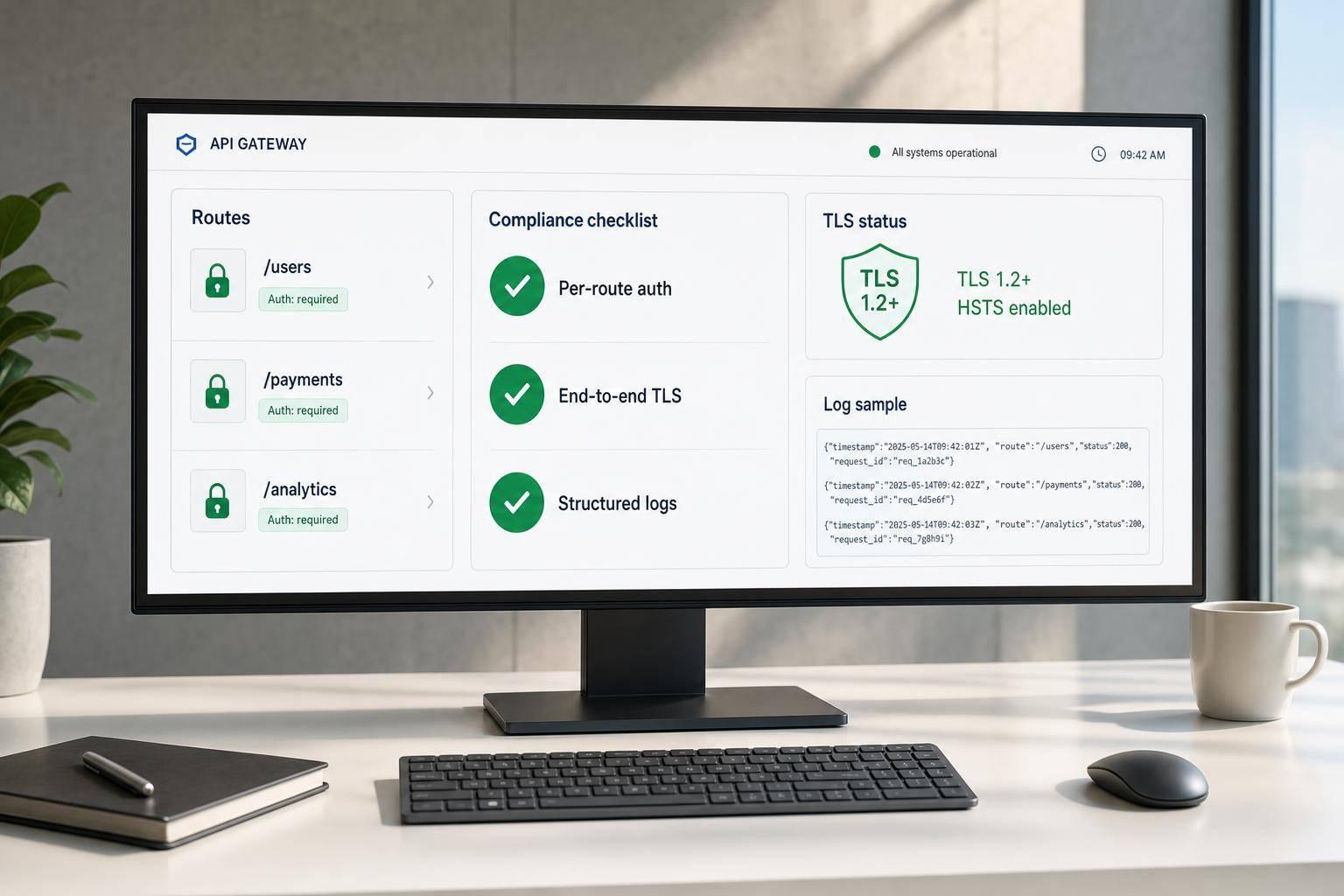
Most API risk comes from a short list of gaps: secrets stored in the wrong place, broad scopes, tokens that last too long, weak webhook checks, and vendor access that no one reviews. If I manage analytics tools for business or RevOps integrations, I should check those 5 areas first.
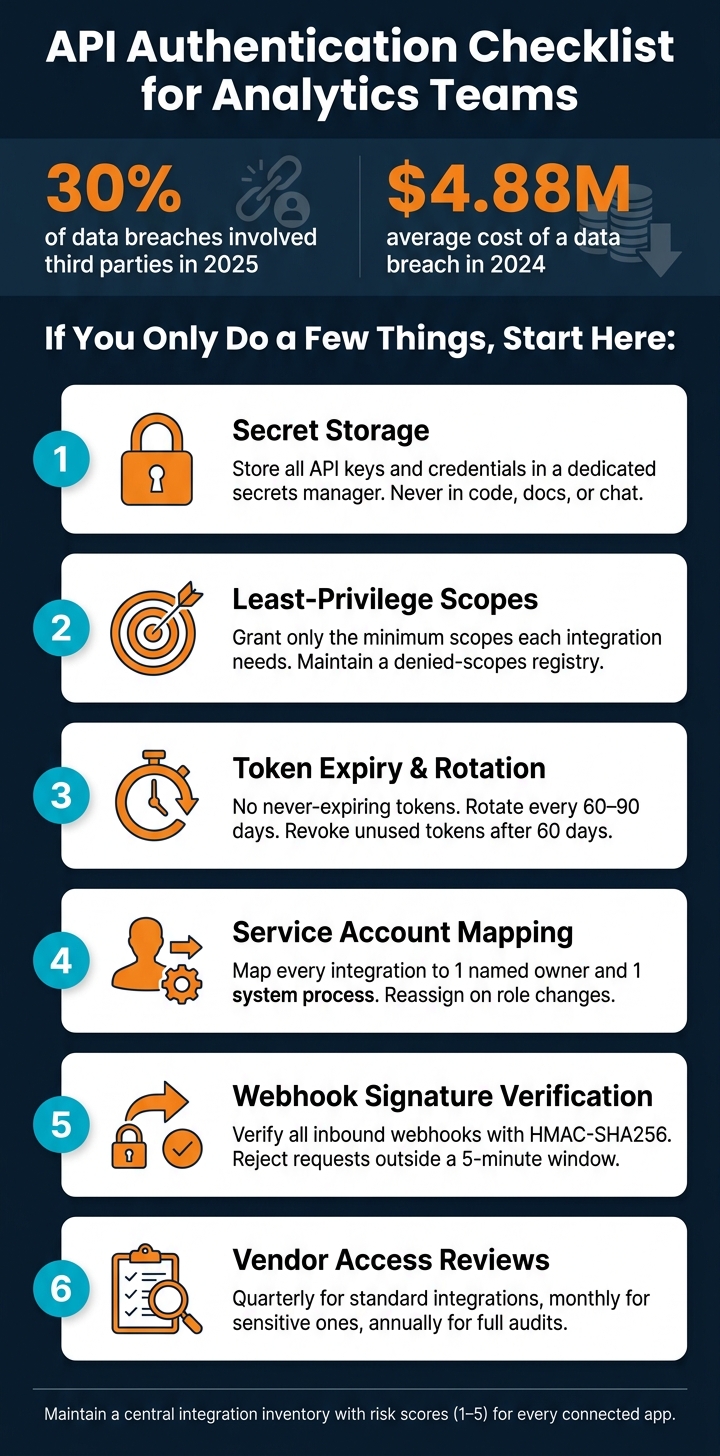
Third-party involvement reached 30% of data breaches in 2025, and the average breach cost hit $4.88 million in 2024. This article turns that risk into a short review process I can use for each integration.
I’d use this checklist to confirm:
- Where secrets live and who can read or rotate them
- Which scopes an app has and whether they match the job
- How tokens expire, rotate, and get revoked
- Which service account owns the integration
- How webhooks are verified before any payload enters the pipeline
- When vendors and app access are reviewed and removed
Bottom line: if I only do a few checks, I’d lock secrets in a vault, cut scopes down, remove non-expiring tokens, tie each app to a named owner, verify webhook signatures, and review access on a set schedule.
API Security Checklist for Analytics Teams: 6 Critical Controls
API Security Checklist: Key Steps to Protect Your APIs
sbb-itb-5174ba0
Checklist 1: Secret Storage and Credential Hygiene
Start with secret storage. Every credential belongs in a secrets manager - not in code, logs, files, or shared docs.
Store Secrets in a Dedicated Secrets Manager
Store every API key, client secret, private key, and webhook signing secret in a dedicated secrets manager or managed vault. Do not keep them in code, logs, CI/CD, local files, shared docs, or chat threads. Check storage first, then access, then rotation. Use this table to verify where each secret lives.
| Storage Location | Allowed in Production? | Verification Step |
|---|---|---|
| Source code / Git repos | No | Scan repositories for hardcoded keys |
| Shared docs / spreadsheets | No | Search internal docs for stored credentials |
| Local files / unprotected caches | No | Audit developer workstations for unencrypted credential files |
| Dedicated secrets manager | Yes | Confirm encryption at rest and RBAC |
| HSM-backed store | Yes | Verify hardware-level protection for private keys and signing secrets |
| Managed integration vaults | Yes | Ensure per-tenant credential isolation and envelope encryption |
Require at-rest encryption with envelope encryption backed by KMS.
Limit Who Can Read, Change, and Rotate Secrets
Lock down secret access with RBAC. Only named service accounts and a small admin group should be able to read or change production secrets. Every read or update should land in audit logs.
Skip shared OAuth apps. Use customer-owned credentials so each integration stays isolated.
Set a Rotation Schedule and an Exposure Response Plan
Rotate secrets every 60 to 90 days when the vendor supports it. If a secret gets exposed, revoke it, assess impact, rotate it, restore the integration, and review the incident.
Automate rotation where you can. If a vendor cannot support it, record that gap in the integration inventory for vendor follow-up.
Once secrets are under control, move to scopes, token expiry, and identity mapping.
Checklist 2: Least-Privilege Scopes, Token Expiry, and User Mapping
Once secrets are locked down, check who gets access, what they can reach, how long that access lasts, and which identity is tied to it.
This is where website analytics integrations often add risk they don't need to add. The integration may work fine and still have far more access than the job calls for.
Grant Only the Scopes and Roles Each Integration Needs
Give each analytics integration the smallest set of scopes that still lets it do its job. Stick to read-only metadata or narrow resource scopes instead of broad read or write access. For Google Workspace, use drive.file instead of drive.readonly. For Salesforce, use Connected App policies and permission sets to limit access to specific objects. If you make an exception, log it in the integration inventory.
Keep a denied-scopes registry. This is the list of permissions that need formal approval before any integration can ask for them. Scopes like offline_access, read_all_mailboxes, or repo:write should not be turned on in a production analytics integration unless that approval is documented.
Also note whether the vendor stores data or only passes it through. Stored payloads increase the scope of the security review.
Require Expiring Tokens and a Clear Revocation Process
Do not allow never-expiring production tokens. Check that access tokens are short-lived and that refresh tokens rotate on their own before expiry. For sensitive scopes like mail or financial data, cut refresh token lifetimes to 7 days or less.
Revocation matters just as much as expiry. You should be able to revoke one integration's token without breaking other connected apps. Set alerts for unusual API call spikes and repeated authentication failures tied to a specific app identity.
| Control | Verification Step |
|---|---|
| Token expiry | Confirm no "never-expire" tokens are used in production |
| Refresh token rotation | Verify tokens rotate automatically before expiry |
| Revocation | Test revoking one service account token without impacting others |
| Inactive app review | Revoke tokens unused for 60+ days; review monthly |
| Monitoring | Set alerts for API call spikes or auth failures by app identity |
Map Access to Service Accounts and Traceable Service Identities
Run integrations through nonhuman service accounts. Each token should map to 1 owner and 1 system process. Record the approver, scopes, and revocation path. If ownership changes, reassign or revoke access right away.
Apply the same role-change controls here. If the person who owns a CRM or marketing analytics integration changes roles or leaves the company, move ownership at once or revoke the token. Quarterly recertification helps catch scope drift before it turns into a bigger issue.
After access is mapped, verify webhook signatures before processing inbound events.
Checklist 3: Webhook Signing and Inbound Event Validation
After scopes and user mapping, verify every inbound event before it enters your pipeline. Webhooks are a common blind spot. If you process inbound events without checking them first, you're taking the sender at their word.
Verify Signatures Before Processing Inbound Webhooks
Verify each inbound webhook with HMAC-SHA256 or stronger before your system touches the payload. The vendor signs the payload with a shared secret. Your endpoint recomputes the signature and checks for a match. If the signature fails, reject the request and log it.
Reject requests outside a 5-minute window to block replay attacks.
Alert on spikes in signature failures. That pattern often points to active attack traffic, not just a setup mistake.
Harden Webhook Endpoints and Payload Handling
Use a dedicated HTTPS endpoint for each integration and require TLS 1.3. Never put signing secrets or API keys in the URL path or query string.
For high-risk event flows, add IP allowlisting so inbound traffic is limited to the vendor's known CIDR blocks. Treat it as an extra control, not a replacement for signature checks.
Malformed or unverified payloads should be logged and quarantined. Do not write them straight into your reporting pipeline or data warehouse.
Require vendors to disclose retry-buffer and debug-log retention. Cap transient storage unless they document a reason.
Track Webhook Controls in a Review Table
Record these controls in the central integration inventory. You can also reference our top analytics tools and resources to find platforms that support these security standards. At a minimum, track the fields below.
| Field | Description |
|---|---|
| Integration Name | Name of the third-party vendor or internal system sending the webhook. |
| Signing Status | Indicates whether signatures are enabled, such as HMAC-SHA256. |
| Verification Method | Technical method used, such as HMAC, mTLS, or a shared secret. |
| Event Source Validation | Use of IP allowlisting or header checks to verify the sender's identity. |
| Replay Protection | Confirmation of timestamp validation or nonce checking to prevent replayed events. |
| Transport Security | Whether HTTPS is enforced and whether mTLS is used where appropriate. |
| Signing Key Location | The vault or secrets manager where the signing key is stored. |
| Signing Key Owner | The individual or team responsible for rotating the signing key and testing the integration. |
| Retry Behavior | Policy for handling failed deliveries, such as exponential backoff or a dead-letter queue. |
| Alerting Status | Confirmation that failed signature checks trigger security alerts in your SIEM or SOC. |
| Data Retention | How long the webhook payload or body is stored in logs or buffers. |
| Last Test Date | The date the verification and alerting logic was last successfully validated. |
Carry these fields into the vendor access review.
Checklist 4: Vendor Access Review and Ownership
Getting an integration live is the easy part. Keeping it locked down over time is where teams slip. Access drifts. People leave. Vendor permissions grow past what the setup first needed.
Review Vendor Authentication Practices and Active Access on a Fixed Schedule
Put reviews on a fixed cadence. Check standard integrations every quarter. Check sensitive integrations every month. Run a full access audit once a year to catch stale access and overlapping permissions. Review access right away after an employee leaves, after a security event, or after approval of a new AI tool.
For each vendor, confirm a current SOC 2 Type II report from the last 12 months, a DPA that lists all sub-processors, and deletion of cached payloads before deprovisioning.
When you retire a tool, close the loop all the way. Revoke OAuth tokens, disable the app in your identity provider, and confirm the vendor deleted data within your retention window. Check partner access inside platforms such as Meta Business Suite and Google Ads too. External access can stick around there long after a tool is supposed to be gone.
Record every review result in the central inventory before the next review cycle.
Maintain One Central Integration Inventory
Use one shared inventory for every integration. Track who owns it, whether access is still active, and when it was last reviewed. Each entry should have both a business owner and a technical owner. The business owner confirms the tool still has a job to do and that its scopes still fit. The technical owner handles credentials and security settings.
Use your identity provider to pull a full list of connected OAuth apps. Then match that list against finance and procurement records. That’s one of the best ways to spot shadow integrations your team may not know about.
Give each integration a risk score based on data sensitivity, write permissions, and breadth of access. That score tells you which tools need tighter review intervals.
| Inventory Field | What to Record |
|---|---|
| Tool Name & Vendor | App name and vendor |
| Ownership | Business owner, technical owner, and installer and approver identity |
| Data Categories | PII, PHI, financial data, and source-of-truth fields |
| Risk Score | 1–5 based on sensitivity and permission breadth |
| Last Review Date | Date the integration was last reviewed and recertified |
| Next Review Date | Scheduled date for the next access review |
| Deprovisioning Status | Active, pending retirement, or deprovisioned; confirmation of token revocation and vendor data deletion |
The point of the inventory is action. It should drive recertification, revocation, and cleanup - not sit there as passive documentation.
Conclusion: The Minimum Controls Every Analytics Team Should Confirm
If you only lock down a few things, start here: store secrets in a dedicated secrets manager, restrict scopes to only what each integration needs, avoid tokens with no expiry, map every integration to a named owner, verify webhook signatures before processing inbound events, and review vendor access on a fixed schedule.
Third-party involvement in data breaches doubled year-over-year to 30% in 2025 [1], and the global average cost of a data breach hit a record $4.88 million in 2024 [1]. That risk is not theoretical. If your team handles CRM data, ad platform credentials, and revenue attribution pipelines, one missed rotation or one orphaned service account can leave a direct opening. This checklist gives analytics teams a clear way to close those gaps before they turn into incidents.
FAQs
How do I audit existing API secrets fast?
Create one inventory for every service account, OAuth token, and API key. Then check platform dashboards and your internal auth catalog to confirm which identities are still active and what each one can access.
Next, match that inventory against logs and SSPM tools. This helps you find unused accounts, scopes that are too broad, and stale tokens that are still sitting around. From there, take action:
- Revoke credentials that look risky
- Rotate keys older than 90 days
- Move secrets into a role-based secrets manager
- Send API activity logs to a SIEM for steady monitoring
The goal is simple: know what machine identities exist, cut back access that no longer makes sense, and keep a close watch on API use over time.
What scopes are too broad for analytics integrations?
Scopes are too broad when they give a tool more access than it needs. In practice, that means avoiding administrative permissions, domain-wide or workspace-wide access, broad “all” permissions, and any write or delete access when the tool only needs to read data.
Treat offline_access the same way. Unless there’s a clear business need, it’s more access than most tools should get. The safer move is to use narrow sub-scopes, like access to one project or one file instead of an entire data lake. That keeps the blast radius smaller if something goes wrong.
What should I do if a vendor does not support token rotation?
If a vendor does not support token rotation, limit the blast radius. Put the application in a dedicated tenant or a tightly scoped data segment where any fallout stays within an acceptable range.
Keep tokens in a secure, centralized secrets manager with role-based access controls. Monitor authentication errors and logs for unusual activity. And when you can, avoid using that integration for highly sensitive data.