Learning analytics tools help educators turn classroom data into actionable insights. They track student engagement, identify struggling learners, and provide real-time feedback to improve teaching strategies. These tools also support personalized learning by tailoring content to individual needs, enhancing overall student success.
Here’s a quick overview of the top 10 learning analytics tools:
- Coursera: Global online learning platform with detailed dashboards and real-time issue alerts.
- Canvas Analytics: LMS-integrated tool offering engagement metrics and visual dashboards.
- Moodle Learning Analytics: Free, open-source analytics with customizable reports.
- Google Classroom Insights: Free tool for tracking participation and assignment completion.
- Brightspace Learning Analytics: Predictive modeling and real-time insights for student performance.
- EducateMe: Flexible platform for performance tracking and tailored reports.
- Docebo: Enterprise-level analytics with real-time dashboards and integration options.
- Gradescope: Automates grading while providing performance insights.
- Century Tech: AI-powered platform for personalized learning paths and predictive modeling.
- Tableau and Power BI: Advanced data visualization tools for creating custom reports.
Each platform offers unique features to address specific educational needs, from K–12 to higher education and corporate training.
Advancing Personalized Learning Analytics with AI and EdTech by Rhythm Bhatia
1. Coursera
Coursera is a platform tailored for global online courses (MOOCs) and professional development, offering advanced analytics designed to track and understand learner behavior. Unlike traditional learning management systems that primarily manage institutional courses, Coursera focuses on reaching a worldwide audience, making it an essential tool for educators looking to engage learners beyond the confines of a physical classroom.
Key Features and Functionality
Coursera equips educators with detailed learning analytics dashboards that track key performance indicators like course completion rates, engagement patterns, assessment results, and forum activity. These tools provide a clear picture of how students interact with course content, which resources they rely on most, and how they perform in quizzes and assignments.
One standout feature is the ability to flag potential issues in real time. This allows educators to pinpoint at-risk students early, enabling timely interventions that can prevent small challenges from escalating into significant problems.
The platform also offers detailed reports that highlight trends across entire student cohorts. These insights help educators identify which teaching methods are most effective, where students typically struggle, and which materials generate the highest engagement. By analyzing data on participation, resource usage, and assessment performance, instructors can refine their teaching strategies and improve course design to better support student success.
Coursera’s interface is designed to be user-friendly, even for those without a technical background. Dashboards are intuitive, and regular summary emails ensure that educators can access and act on critical insights with ease.
Integration with Existing Platforms
Coursera functions primarily as a standalone platform for online course delivery and professional development. While it supports integration with other educational technologies, the specifics depend on institutional partnerships and technical requirements. For detailed guidance, educators should refer to Coursera’s technical documentation to explore compatibility with their existing systems.
Pricing and Accessibility
Coursera offers free course creation alongside premium options for specialized programs. Pricing structures vary depending on the specific use case, so it’s best to consult Coursera’s official resources for detailed information on analytics features and subscription plans. This combination of analytics and course management highlights how platforms like Coursera can enhance the learning experience as we explore additional tools.
2. Canvas Analytics
Canvas Analytics brings data-driven insights directly into the learning management system (LMS) used by schools and universities across the United States. By embedding analytics tools into the LMS itself, Canvas eliminates the need for educators to jump between multiple platforms. Instead, they can manage courses and track student performance all in one place.
Key Features and Functionality
Canvas Analytics offers real-time insights into student engagement and academic progress, giving educators a clear view of how their students are performing at any given moment. Detailed reports on course completion rates, learning outcomes, and student success metrics are accessible through intuitive dashboards built right into the platform.
The system also includes tools like gradebooks, discussion tracking, quiz analytics, and engagement metrics, offering a well-rounded view of student performance. Educators can monitor everything from test scores and assignment submissions to participation in class discussions. This holistic approach ensures teachers see more than just grades - they get a deeper understanding of how students are learning and where they might need extra help.
One standout feature is the platform's visual dashboards, which present data in easy-to-read charts and graphs. These visuals make it simple for teachers to spot patterns and address potential issues quickly. For example, if a dashboard shows students struggling with a specific topic, educators can adjust their lessons, provide additional resources, or offer one-on-one support to address the problem before it escalates. This data-driven approach empowers educators to make informed decisions that directly benefit their students.
Integration with Existing Platforms
Canvas acts as a centralized hub, integrating smoothly with other educational tools like Gradescope for AI-assisted grading. It supports a wide range of third-party tools, allowing institutions to customize their setup based on specific needs. These integrations ensure that data flows seamlessly between Canvas and other platforms, making it easier for educators to manage their workflows without disruptions.
Pricing and Accessibility
Canvas Analytics is offered as part of a subscription-based model, typically bundled with the broader Canvas LMS. Pricing depends on the size and requirements of the institution, making it adaptable for schools and universities of varying budgets. Its widespread adoption across educational settings highlights its value and flexibility.
Beyond affordability, Canvas prioritizes accessibility by providing extensive support resources. Educators can access detailed documentation, step-by-step tutorials, and dedicated customer support to help them navigate the platform, generate reports, and interpret data effectively. As one of the leading LMS platforms alongside competitors like Blackboard and Moodle, Canvas has earned its reputation as a dependable solution for institutions seeking to combine course management with powerful analytics tools in a single platform.
3. Moodle Learning Analytics
Moodle Learning Analytics is an open-source tool designed to bring advanced analytics to educational institutions without breaking the bank. Integrated directly into the popular Moodle LMS, it equips educators with the tools they need to monitor student performance, pinpoint learning challenges, and make informed decisions to enhance outcomes. This built-in feature provides a solid starting point for more advanced analytics.
Key Features and Functionality
Moodle Learning Analytics offers real-time insights that help identify students who may be struggling. By tracking metrics like course completion rates, assessment scores, resource usage, and learning pathways, it delivers a broad view of student engagement and progress.
The platform’s reporting tools are detailed, allowing educators to drill down into data at multiple levels - whether it’s a specific course, lesson, slide, or even an individual student. Custom dashboards turn raw data into meaningful insights, making it easier to track trends like course popularity, success rates, and progress toward learning goals.
Customization and Flexibility
One of Moodle Learning Analytics’ standout features is its adaptability. As an open-source platform, it allows institutions to create analytics solutions tailored to their specific needs. Educators can customize dashboards, generate unique reports, and apply filters to focus on the data that matters most to them. Whether it’s analyzing performance by student groups, time frames, or specific activities, the system is designed to fit both individual and institutional goals - offering flexibility without forcing a one-size-fits-all approach.
Integration with Existing Platforms
Moodle Learning Analytics works seamlessly within the Moodle ecosystem but doesn’t stop there. It also integrates with external BI tools like Tableau and Power BI. This makes it possible to combine Moodle data with other systems, creating a more comprehensive view of institutional performance. Educators can even export data for deeper analysis, ensuring the platform grows alongside their evolving needs.
Pricing and Accessibility
Since it’s built on an open-source framework, Moodle Learning Analytics provides its core features at no cost. This makes it an attractive option for schools, academies, and universities operating on tight budgets. While the software itself is free, institutions can choose to invest in additional services like hosting, technical support, or custom development to enhance their setup. Plus, a vibrant community of educators and developers actively supports and improves the platform, ensuring it keeps pace with the changing demands of education.
4. Google Classroom Insights
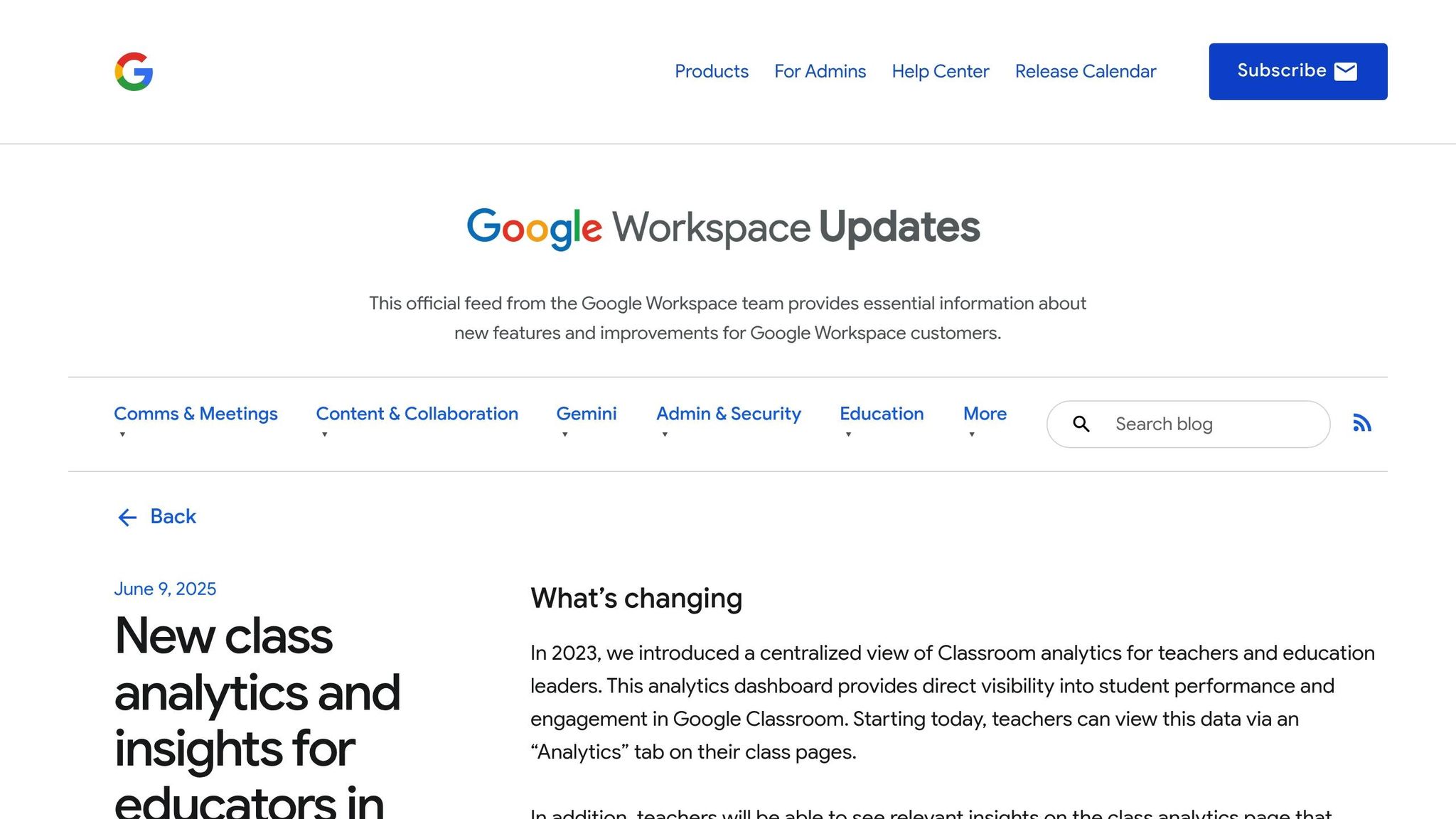
Google Classroom Insights brings analytics directly to educators using Google Workspace for Education, turning classroom activities into meaningful data. This tool works seamlessly within the platform, eliminating the need for teachers to manage multiple systems or logins.
Key Features and Functionality
Google Classroom Insights offers detailed dashboards that provide a snapshot of student performance. These dashboards track participation, assignment completion, submission timelines, time spent on tasks, grade distribution, and overall class progress at a glance. Teachers can quickly pinpoint students who may need extra support, monitor classroom trends, and address learning gaps as they arise. The integrated design ensures that all metrics are easily accessible without disrupting existing workflows.
What makes this tool stand out is its effortless integration with classroom activities. Data is automatically gathered from student work in Google Docs, responses in Google Forms, and participation in Google Meet. This means no manual data entry - teachers get detailed reports on engagement, course completion, and learning outcomes without adding to their workload.
Integration with Existing Platforms
Google Classroom Insights works seamlessly within the Google Workspace for Education suite, connecting tools like Google Docs, Sheets, Forms, and Meet. No extra logins or complicated data transfers are required. For educators using external tools like Edpuzzle, analytics from those platforms can be integrated directly into Google Classroom, providing a unified view of student engagement across various learning formats. Additionally, its compatibility with major learning management systems allows schools to enhance their tech setup without overhauling their current infrastructure.
Customization and Flexibility
Teachers can customize dashboards to suit their specific needs and teaching styles. Reports can be filtered by student groups or time periods, enabling educators to focus on the metrics that matter most for their goals. Whether managing multiple grade levels or subject areas, teachers can track performance across all classes and create personalized views that align with their teaching approach.
This flexibility extends to prioritizing data. For example, some educators may focus on assignment completion rates, while others might emphasize participation or assessment scores. Google Classroom Insights adapts to these preferences, offering tailored views that support differentiated instruction. By highlighting individual student strengths and weaknesses, the platform helps teachers adjust their strategies to meet diverse learning needs. And since the tool is free, accessing advanced analytics is simple and accessible.
Pricing and Accessibility
Google Classroom Insights is completely free as part of Google Classroom through Google Workspace for Education. There are no hidden fees, subscription costs, or premium tiers, making it an excellent choice for schools and districts with tight budgets.
The platform is designed to be user-friendly, requiring no advanced technical skills or specialized training. Teachers already familiar with Google Classroom can start using the analytics features immediately, avoiding the steep learning curve often associated with enterprise-level tools.
5. Brightspace Learning Analytics
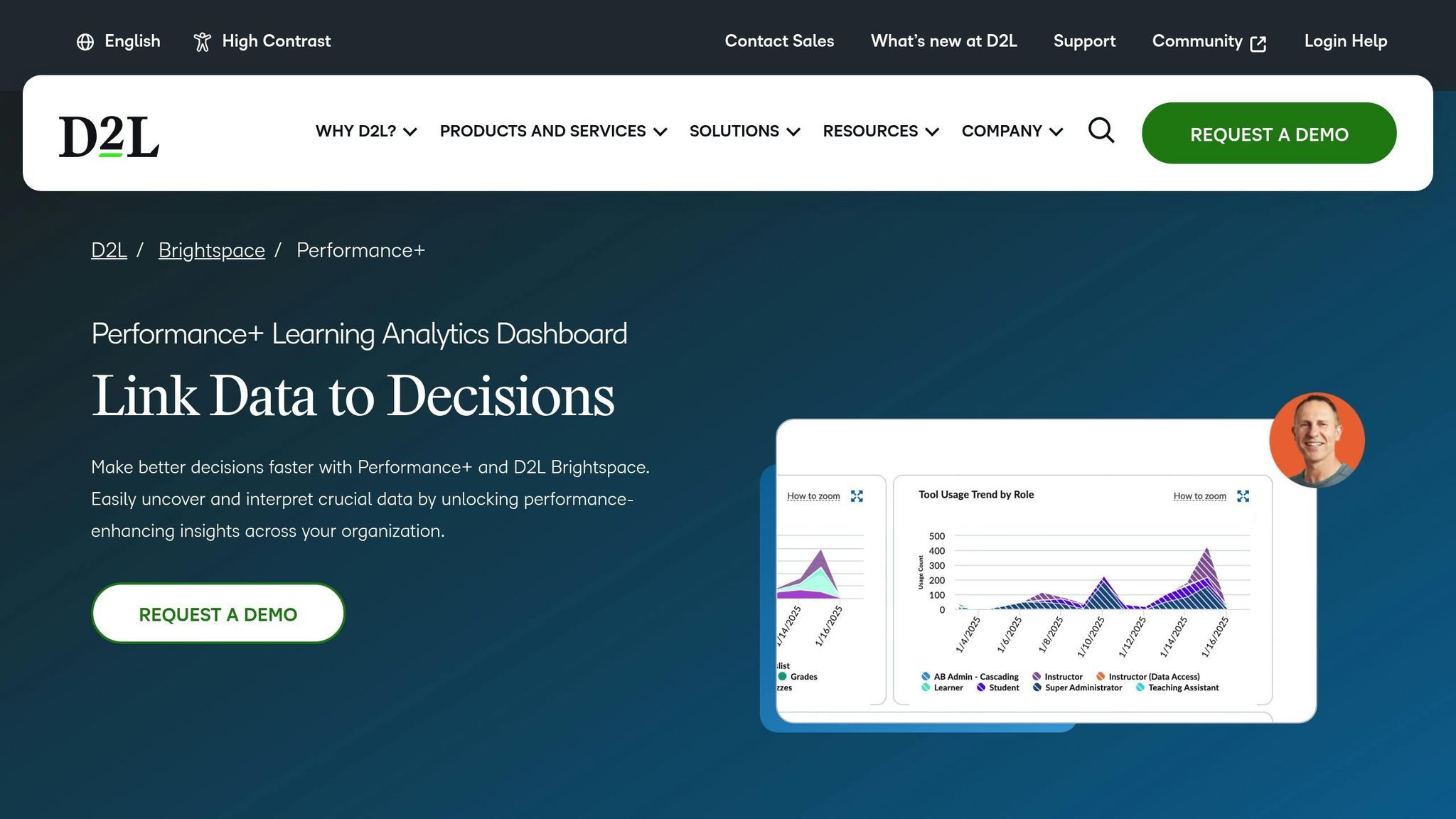
Brightspace Learning Analytics, part of the D2L platform, provides real-time insights into student engagement and performance. Its seamless integration means educators can access analytics directly within the system, eliminating the hassle of switching between tools.
Key Features and Functionality
Brightspace Insights offers real-time dashboards that track learning activities across courses and student groups. It captures key metrics like course completion rates, assessment scores, and engagement levels, presenting complex data in an easy-to-read format.
One standout feature is its predictive modeling for student performance. By analyzing trends in student behavior and outcomes, the system helps instructors identify students who may be struggling, allowing for early intervention and tailored support.
The platform also provides detailed reports on learner progress, using both pre-built and customizable templates. Interactive visualizations turn raw data into clear charts and graphs, which can be exported, emailed, saved, or scheduled for automatic delivery. Supervisors can monitor team and cohort progress through dedicated dashboards, helping institutional leaders make informed decisions about curriculum design, resource allocation, and professional development.
These tools offer educators a flexible and focused approach to learning analytics.
Customization and Flexibility
Brightspace Learning Analytics is designed to fit diverse educational environments, from K–12 schools and universities to corporate training programs. Educators can tailor their dashboards to prioritize the metrics that align with their teaching objectives and institutional goals. For more specific insights, instructors can filter data by courses, student groups, learning objectives, or time periods. They can also delve deeper into performance metrics for individual students or entire cohorts, identifying areas where learners may need extra support.
Integration with Existing Platforms
This analytics tool is fully integrated into the Brightspace ecosystem, ensuring smooth data flow without requiring additional logins or manual data transfers. It also supports connections with external tools like Microsoft Power BI, enabling institutions to combine Brightspace data with other sources. This integration enhances analytics capabilities while leveraging existing technology investments. Plus, its cloud-based design ensures educators can access the platform from any internet-connected device.
Pricing and Accessibility
Brightspace Learning Analytics is typically included as part of the broader Brightspace LMS suite, with subscription pricing tailored to institutional needs. Costs are based on factors like the number of users and courses, making it an enterprise-level solution for mid-to-large educational institutions.
The platform prioritizes accessibility, adhering to established standards to ensure usability for educators and students with diverse needs. Its intuitive interface reduces the learning curve, allowing users to perform advanced data analysis without requiring specialized skills. To support adoption, D2L provides extensive training resources, including documentation, video tutorials, and webinars, all backed by a team of experts.
6. EducateMe
EducateMe brings learning analytics to the forefront by combining essential performance data into practical insights. While the platform offers many features standard in today's educational technology, educators should check directly with the provider to ensure it aligns with their specific needs.
Key Features and Functionality
EducateMe enables real-time tracking of student engagement and performance. By monitoring key metrics, it helps teachers identify students who may be struggling and uncover gaps in understanding before they become major hurdles to learning.
The platform's dashboard provides a clear view of performance data, whether at the class level or for individual students. With intuitive charts and graphs, educators can quickly spot trends or dive deeper into specific student progress.
One standout feature is its ability to support informed teaching decisions. By analyzing data from various learning activities, EducateMe helps teachers recognize patterns in student behavior and academic outcomes. This empowers educators to fine-tune their teaching methods, offer targeted support, and allocate resources where they’ll have the most impact.
Customization and Flexibility
EducateMe gives educators the tools to customize their experience. Reports and dashboards can be tailored by selecting specific metrics, applying filters, and focusing on the most relevant data dimensions. This ensures teachers can zero in on the information that matters most to their classrooms.
The platform also supports automated reporting, allowing teachers to schedule regular updates without the hassle of manual data collection. Additionally, different user groups - teachers, administrators, and parents - can access dashboards designed to present the information most relevant to their roles.
Integration with Existing Platforms
With so many tools in modern classrooms, compatibility is key. EducateMe integrates with popular learning management systems like Canvas, Blackboard, Moodle, and Google Classroom. These integrations allow data to flow seamlessly between systems, cutting down on manual tasks and making life easier for educators.
By bringing analytics from multiple sources into one place, EducateMe offers a unified view of student performance. However, schools should confirm specific integration capabilities with the provider, as these may vary depending on institutional needs and technical setups.
Pricing and Accessibility
EducateMe uses a customized pricing model based on the size of the institution. To explore pricing options, volume discounts, or free trial opportunities, institutions need to reach out to the provider directly.
The platform is designed with ease of use in mind, catering to educators with varying levels of technical expertise. Its interface features straightforward navigation, simple filtering tools, and minimal technical requirements, making it accessible without requiring extensive training.
To support implementation, EducateMe offers onboarding assistance, user guides, and video tutorials. Schools should inquire about the available training resources and customer support options to ensure a smooth transition.
When it comes to data privacy, EducateMe prioritizes compliance with regulations like FERPA (Family Educational Rights and Privacy Act). Educators should review the platform’s compliance documentation and security certifications to confirm that student data is handled responsibly and securely.
sbb-itb-5174ba0
7. Docebo
Docebo is a versatile learning analytics platform packed with tools designed to support both Learning and Development (L&D) professionals and educator-led initiatives. It offers powerful analytics capabilities, catering to organizations at all stages - whether they’re just starting with basic reporting or ready to dive into more advanced insights.
Key Features and Functionality
Docebo brings all learning activity data into one centralized view, combining metrics like engagement, course completion, and assessment performance. This unified approach ensures that all critical data is easily accessible in one place.
Its real-time, customizable analytics dashboard provides educators with instant insights into training effectiveness. With this constant flow of information, instructors can quickly identify challenges and make adjustments to their teaching strategies on the fly.
The platform also includes advanced filtering and search tools, enabling users to zoom in on specific performance metrics. Comprehensive reporting features allow educators to evaluate learner progress from multiple angles, making it easier to measure training success and demonstrate the value of educational programs.
Docebo’s analytics tools grow with you. Beginners can start with straightforward reports, while advanced users can explore deeper analytical features as their expertise expands.
Customization and Flexibility
Docebo doesn’t take a one-size-fits-all approach. Instead, it offers flexible options that align with an organization’s unique analytics journey. Educators can customize dashboards and reports to focus on the metrics that matter most - whether it’s tracking compliance, monitoring skill development, or evaluating course effectiveness.
This flexibility means organizations can begin with basic reporting and gradually adopt more complex tools as their data capabilities mature. There’s no need to switch platforms as analytics needs evolve, making the transition to advanced features smooth and hassle-free.
Integration with Existing Platforms
Docebo integrates effortlessly with major enterprise systems like Salesforce for CRM data and Workday for HR and workforce management. By connecting learning data with these business intelligence tools, organizations can gain a more comprehensive view of how training impacts key outcomes. For example, it can help correlate employee development efforts with tangible results, such as higher productivity, lower turnover rates, or improved customer satisfaction.
Pricing and Accessibility
Docebo’s pricing is tailored to reflect its scalability and customization options. Instead of a rigid pricing model, the platform collaborates with organizations to create solutions that meet specific needs and budgets. When considering costs, it’s essential to think beyond the upfront price and focus on the long-term value of tools that grow alongside your organization’s data expertise.
The platform’s intuitive design ensures it evolves with your analytics requirements, making it accessible for both beginners and seasoned data users.
Before implementing Docebo, organizations should evaluate their current data capabilities and set clear goals. Defining key metrics and aligning them with educational objectives ensures that the platform’s dashboards and reports provide actionable insights to support better decision-making.
8. Gradescope
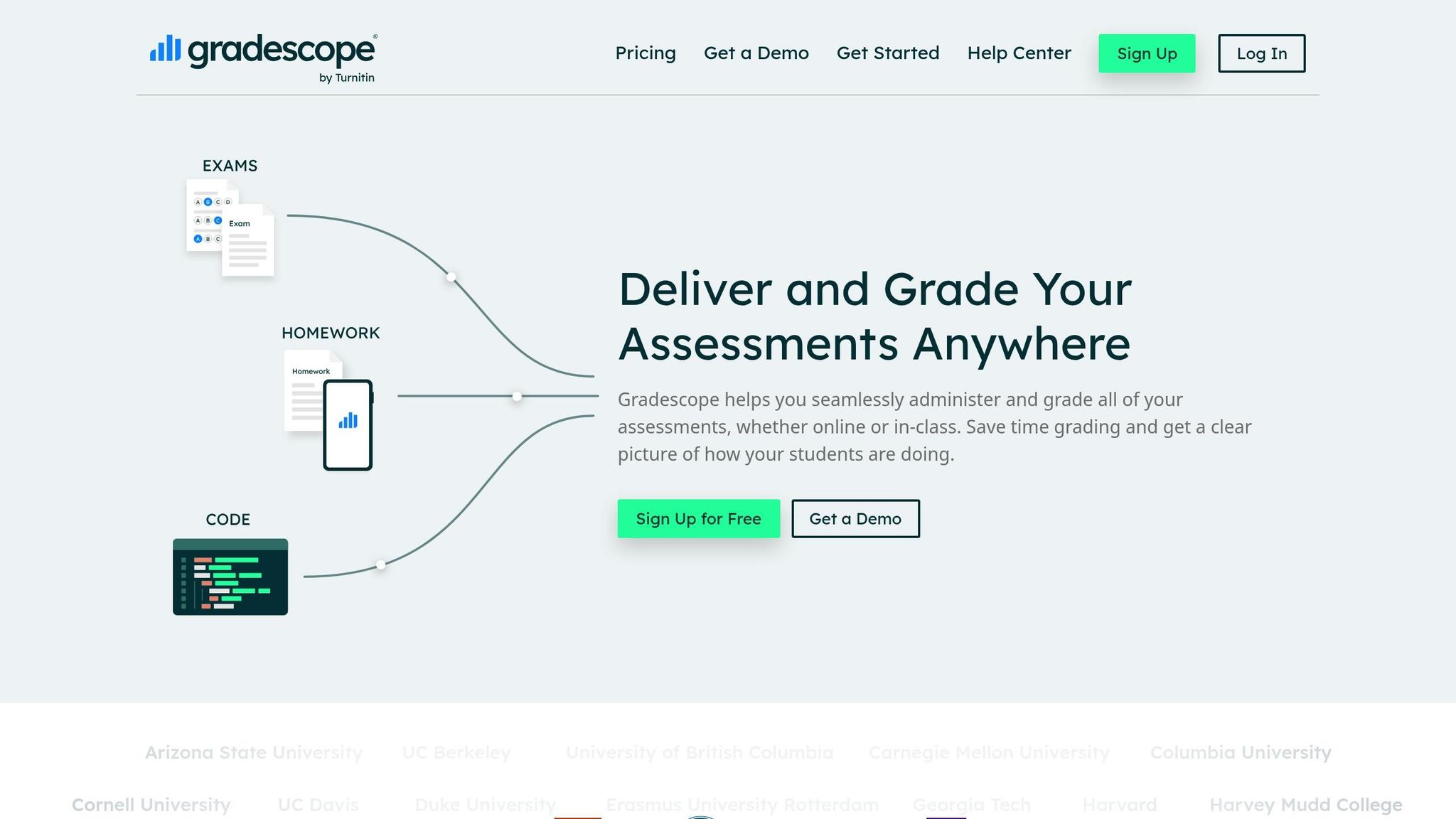
Gradescope is all about simplifying the grading process while giving educators deeper insights into student performance. As one of the standout educational technology tools in 2025, it transforms grading into a more efficient and data-driven process, helping educators better understand how their students are learning.
Key Features and Functionality
Gradescope is an automated grading and feedback platform designed to save time without compromising on quality. It handles straightforward tasks like multiple-choice or true/false questions through auto-grading, delivering instant results and freeing up instructors to focus on more complex teaching needs. For more intricate assessments, Gradescope uses AI to assist in identifying patterns, flagging keywords, and spotting potential integrity issues. This ensures consistent feedback while still allowing educators to maintain control. On top of that, the platform generates detailed performance reports, helping teachers identify areas where students excel and where they might need extra support.
Integration with Existing Platforms
Gradescope works seamlessly with popular learning management systems like Canvas, Google Classroom, and Schoology. Educators can easily import assignments, distribute them to students, and have grades automatically synced back to their LMS gradebooks. This integration ensures that grading data becomes part of a broader learning analytics system, giving educators a clear picture of student engagement, completion rates, and overall performance. By fitting effortlessly into existing workflows, Gradescope enhances the overall teaching and learning experience.
Customization and Flexibility
Gradescope is designed to work across a wide range of subjects and teaching styles. Whether it’s a STEM class with problem-solving tasks or a humanities course with essay-based assignments, the platform supports tailored grading rubrics and feedback templates. These tools help ensure consistency and cut down on repetitive tasks. Educators can decide which parts of an assessment should be graded automatically and which require manual review. This flexibility allows teachers to focus on what matters most - using data to tailor instruction and address individual student needs.
Pricing and Accessibility
Gradescope is available through institutional licenses or as part of larger educational packages. If you're an educator, it’s worth checking whether your school or district already offers access, as institutional pricing often makes the platform more accessible and cost-effective. For schools considering adoption, the time saved through Gradescope often translates into more opportunities for analyzing data, refining lesson plans, and offering personalized support to students - making it a worthwhile investment.
9. Century Tech
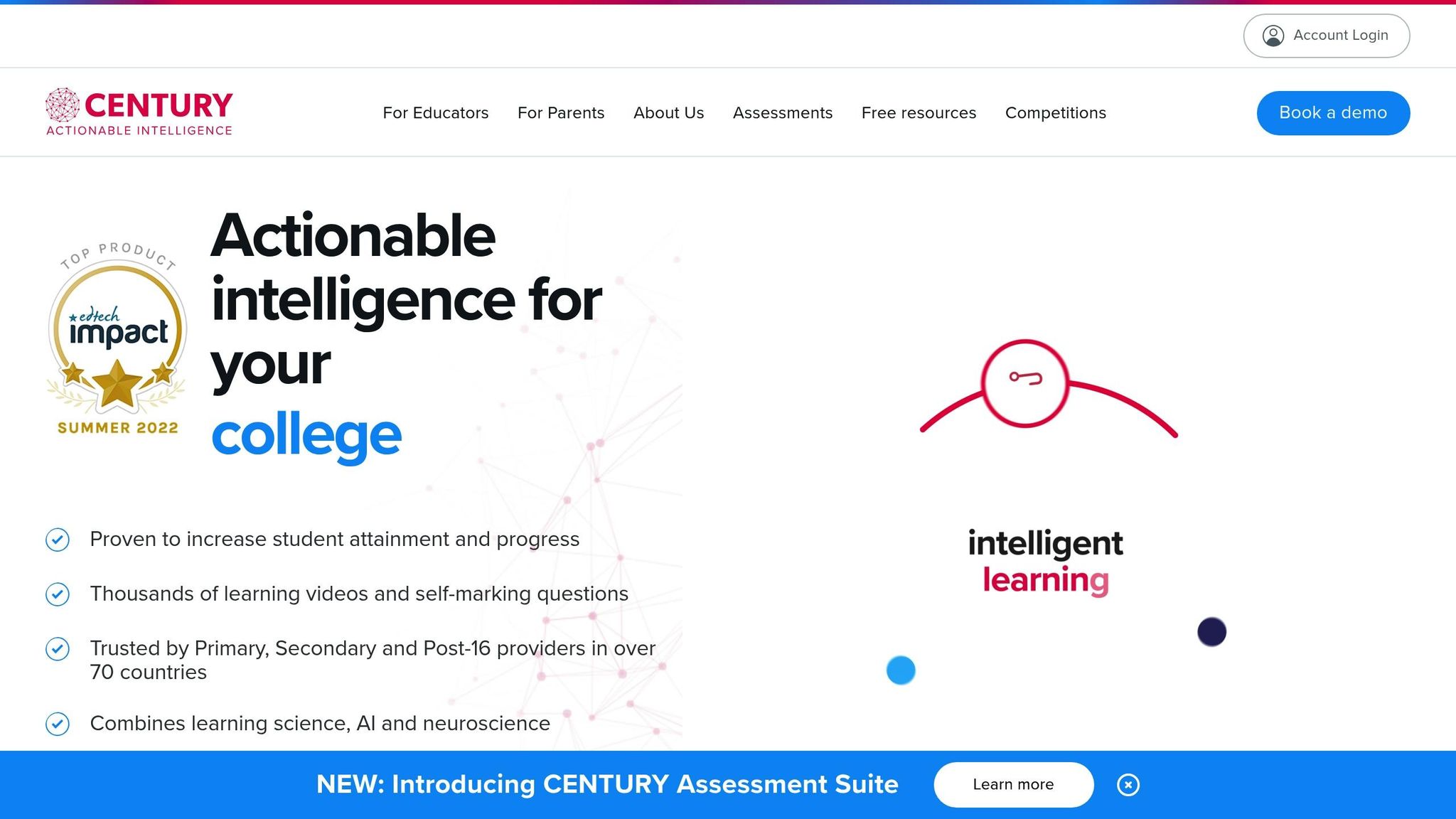
Century Tech brings a fresh approach to education with its AI-powered platform designed to personalize learning and provide teachers with meaningful insights. By blending adaptive learning with in-depth analytics, it helps educators tailor lessons to individual needs while keeping track of progress in real time.
Key Features and Functionality
At the heart of Century Tech is its ability to create personalized learning paths for students using AI-driven algorithms. The platform continuously monitors how students engage with lessons, identifying areas where they excel and where they might need extra help. This data is displayed on intuitive dashboards, offering teachers a clear picture of each student's learning journey.
Another standout feature is its predictive modeling. By analyzing metrics like engagement, completion rates, and assessment results, the system can flag students who may be at risk of falling behind. Teachers can dig into this data to uncover specific knowledge gaps, whether it’s a tricky math problem or a reading comprehension issue.
Century Tech’s reporting tools turn raw data into clear, actionable insights. Educators can access detailed reports on everything from time spent on tasks to progress toward goals. These insights are presented through easy-to-read charts, graphs, and interactive dashboards, making it simple to identify trends and share updates with parents, administrators, and other stakeholders.
Customization and Flexibility
The platform is designed to adapt to different teaching methods and subjects, covering everything from elementary math to advanced high school science. Teachers can customize reports to track individual students, compare class performance, or focus on specific learning objectives.
Additionally, Century Tech supports role-specific dashboards tailored to different users. Teachers can monitor individual student progress and classroom activity in real time, while administrators can view broader trends across the school to guide decision-making. Students also have their own dashboards, giving them insights into their progress, completed lessons, and areas requiring improvement.
Educators can further customize their experience by exporting reports, scheduling automated updates, and creating views that align with their school’s assessment standards. This flexibility ensures that Century Tech fits seamlessly into existing educational systems without requiring a complete overhaul.
Integration with Existing Platforms
Century Tech integrates smoothly with popular learning management systems like Canvas, Moodle, and Google Classroom. This eliminates the need for manual data entry, as learning data is automatically synced across platforms. Teachers can access a unified dashboard that consolidates all relevant information, saving time and reducing the hassle of switching between multiple tools.
For administrators, the platform can connect with broader business intelligence systems, enabling them to combine learning analytics with other institutional data. This comprehensive approach provides a clearer understanding of overall school performance.
Pricing and Accessibility
Century Tech offers flexible pricing based on the size of the institution and the features required. Schools can contact the company to explore options that best suit their needs. Many find that institutional licenses provide better value, especially for larger implementations.
For districts with existing partnerships with educational technology providers, there may be opportunities to bundle Century Tech with other tools, making it even more accessible. It’s worth exploring whether these relationships can help reduce costs and streamline adoption.
10. Tableau and Power BI
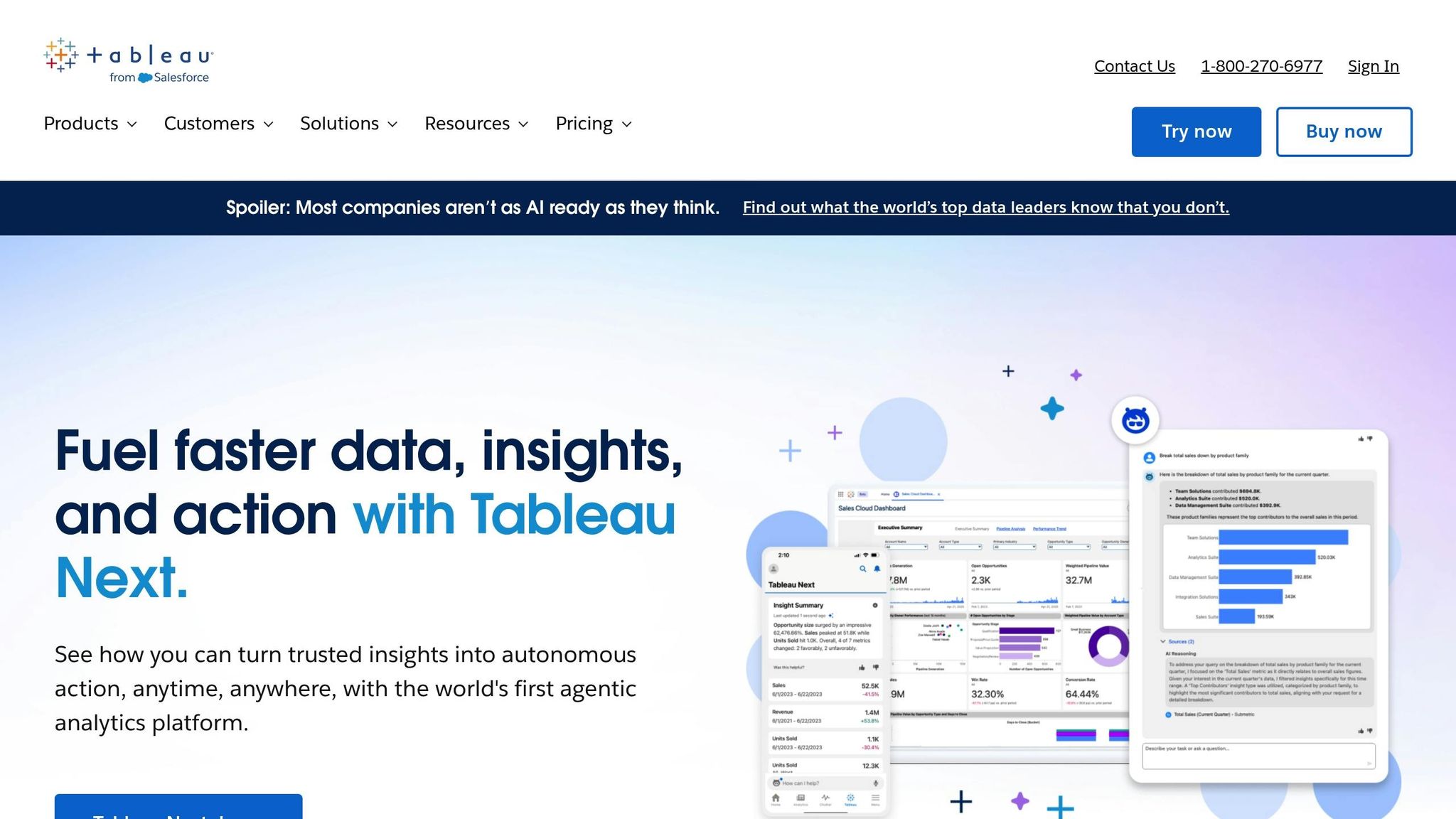
Tableau and Power BI stand out as enterprise-level tools that transform raw data into visually engaging and easy-to-understand formats. While they aren't designed specifically for education, they complement learning analytics platforms by offering advanced visualization features that help educators, administrators, and school boards make sense of complex data.
Key Features and Functionality
These platforms excel at turning numbers into actionable insights. With interactive dashboards, they highlight trends and identify at-risk students. Power BI, for example, offers exportable templates and real-time, detailed reports that allow educators to zero in on specific knowledge gaps and training challenges. These visualization tools provide a foundation for customized reporting tailored to the needs of any institution.
Customization and Flexibility
Both Tableau and Power BI offer a high degree of flexibility. Users can create custom dashboards featuring dynamic filters and supervisor views. These tools make it possible to analyze key metrics like course engagement, assessment results, and attendance patterns, offering a comprehensive view of student performance.
Integration with Existing Platforms
Power BI integrates seamlessly with Microsoft products, making it especially accessible for institutions already using the Microsoft ecosystem. Both Tableau and Power BI can connect to various learning management systems (LMS) and data sources, consolidating educational data into unified dashboards. Advanced features like BI Connector functionality even allow institutions to import raw learner data into platforms like PostgreSQL, enabling more robust analytics.
Pricing and Accessibility
The pricing of Tableau and Power BI reflects their enterprise-level capabilities but offers flexibility for educational institutions. Power BI tends to be more budget-friendly for smaller schools, thanks to its integration with Microsoft's ecosystem and lower starting costs compared to Tableau. Pricing typically depends on factors like the number of users, data volume, and specific feature needs. Many schools take advantage of educational partnerships and volume licensing agreements, and both platforms provide free or trial versions, allowing institutions to test their capabilities before making a full commitment. While these tools may have a steeper learning curve than education-specific analytics platforms, their robust visualization and reporting features empower better strategic planning and communication among stakeholders.
Feature and Pricing Comparison
When selecting a learning analytics tool, it's essential to balance functionality with cost. Options range from free, open-source platforms to enterprise-grade solutions with tailored pricing plans.
Pricing Models Across Platforms
The pricing structures for these tools vary widely, depending on whether you're looking for an education-focused platform or a business intelligence solution. For example, TalentLMS and 360Learning use tiered subscription models. While TalentLMS offers straightforward pricing tiers, 360Learning requires contacting their sales team for a custom quote.
Docebo takes a flexible approach, offering pricing that scales with your organization's analytics maturity. On the other hand, Thought Industries focuses on premium, customized SaaS packages tailored to individual client needs. This can be ideal for institutions with unique analytics requirements but may require careful budget planning. Meanwhile, Schoox stands out by including a robust BI tool and reporting features at no additional cost for business intelligence capabilities.
Dashboard and Reporting Capabilities
The ability to customize dashboards and reports is a major factor when comparing platforms. For instance, 360Learning provides dashboards tailored to courses, classrooms, groups, and managers, ensuring stakeholders can access the most relevant information. Adobe Learning Manager integrates with Microsoft Power BI, offering detailed platform usage insights and export options via customizable Power BI templates.
Thought Industries adds flexibility with a BI connector for exporting raw learner data, enabling custom analysis. Similarly, Schoox supports both pre-built reporting systems and ad hoc report creation, giving educators the tools to track trends and measure specific training goals.
These features highlight the importance of selecting a tool that aligns with your reporting needs.
Context-Specific Tool Selection
Different educational and training environments require tailored solutions. For K–12 schools, platforms like Moodle and Intellischool are excellent choices. Intellischool, in particular, focuses on data-driven teaching with detailed learner, class, and curriculum analytics. In higher education, tools like Canvas Analytics, Google Classroom Insights, and Brightspace Insights deliver robust performance tracking.
In corporate training, platforms such as Docebo integrate seamlessly with enterprise tools like Salesforce and Workday. EducateMe stands out for its advanced analytics, which focus on improving student engagement across diverse training programs. For organizations needing advanced xAPI data and learning record store capabilities, specialized platforms like Learning Pool and Watershed are worth considering.
| Tool | Best For | Key Strength | Pricing Approach |
|---|---|---|---|
| TalentLMS | Small to mid-sized training programs | User-friendly interface with a 4.8/5 rating | Tiered subscription |
| 360Learning | Collaborative learning environments | BI connector with multi-dimensional dashboards | Custom quotes |
| Docebo | Corporate L&D and enterprise training | Integration with Salesforce and Workday | Scalable tiers by maturity |
| Adobe Learning Manager | Microsoft-centric institutions | Power BI integration with exportable templates | Contact for pricing |
| Schoox | Budget-conscious organizations | Integrated BI tool without extra BI costs | Included BI features |
| Thought Industries | Organizations with unique needs | PostgreSQL BI connector for custom analytics | Custom packages |
| Moodle | K–12 and higher education | Open-source flexibility | Free (hosting costs apply) |
| EducateMe | Diverse training courses | Advanced student engagement analytics | Contact for pricing |
| Canvas Analytics | Higher education institutions | LMS-integrated performance tracking | Part of Canvas subscription |
| Google Classroom Insights | K–12 schools using Google Workspace | Seamless integration with the Google ecosystem | Free with Google Workspace |
Integration and Compliance Features
Integration is a key consideration, ensuring the analytics tool works seamlessly with your existing systems. Tools like Docebo and Adobe Learning Manager integrate effortlessly with BI platforms, while Schoox includes built-in compliance reporting.
Compliance features are particularly valuable in corporate training environments. For example, Schoox tracks certifications, completion rates, and training mandates through its dashboards, helping organizations meet regulatory requirements efficiently.
Learner Feedback and Engagement Tracking
Tracking student satisfaction involves more than just monitoring course completions. Platforms like EducateMe focus on data visualization and detailed reporting, gathering insights on progress, participation, and satisfaction. By incorporating feedback mechanisms directly into dashboards, these tools enable educators to link engagement data with performance outcomes, offering a more comprehensive view of learning success.
Conclusion
Learning analytics tools give educators the ability to tailor instruction, spot at-risk students early, and improve outcomes through data-driven insights. Whether you're working in a K–12 setting, overseeing a university program, or managing corporate training, the right tool can turn guesswork into informed action.
Choosing the right platform starts with understanding your institution's priorities. Consider needs like hybrid teaching support, professional development for educators, data analysis capabilities, and compliance reporting. Aligning these priorities ensures seamless integration with systems like Canvas, Blackboard, or Moodle.
Budget planning should go beyond the upfront cost. Open-source tools like Moodle can be a cost-effective choice, though it’s important to factor in hosting and maintenance expenses.
How you implement these tools is just as critical as the tools themselves. Pilot programs can ease the transition, allowing educators to get comfortable with data-driven approaches while also addressing any challenges with data quality or system adoption.
Real-time academic tracking and predictive modeling play a key role in identifying students who need extra support, enabling educators to act when it matters most. Tools with user-friendly data visualization turn raw data into clear, actionable insights, helping improve everything from lesson plans to broader institutional strategies.
As technology advances, institutions must balance adopting new innovations with practical customization. Artificial intelligence and machine learning are now driving predictive modeling and automated identification of struggling learners. Integration with business intelligence tools also allows for highly customized reporting, showcasing the impact of learning initiatives at every level.
For those looking for flexible and scalable solutions, open-source platforms provide an alternative to commercial software. These community-driven tools offer adaptability and cost-efficiency but may require technical expertise and ongoing maintenance to fully meet institutional needs.
Mastering learning analytics tools is key to enhancing teaching and improving student outcomes. By evaluating your needs, running pilot programs, and investing in proper training, you can harness these tools to transform education and drive meaningful results.
FAQs
How can learning analytics tools enhance personalized learning for students?
Learning analytics tools empower educators to craft more tailored learning experiences by examining student performance data. These tools highlight individual strengths and weaknesses, allowing teachers to adjust their instruction to meet each student's unique needs.
With features like real-time progress tracking, predictive analytics, and personalized feedback, educators can pinpoint areas where students struggle and provide targeted support. This approach not only boosts student engagement but also creates opportunities for measurable academic growth, making learning more effective and impactful.
What should educators look for when selecting a learning analytics tool for their institution?
When selecting a learning analytics tool, there are a few important aspects to keep in mind. Start by examining the features it offers. Can it track student progress effectively? Does it help identify learning gaps or provide insights that educators can act on? These are the kinds of capabilities that can make a real difference in the classroom.
Next, think about ease of use. A tool that’s hard to navigate or doesn’t integrate well with your current learning management system (LMS) will likely cause more frustration than benefit. Compatibility and user-friendliness should be high on your list.
Another critical factor is cost. Make sure the tool fits within your institution’s budget while still providing meaningful benefits. A good balance between affordability and value is essential.
Finally, don’t overlook data security. Protecting student information is non-negotiable, so ensure the tool complies with privacy regulations and has robust safeguards in place.
By focusing on these key areas, you’ll be better equipped to choose a tool that supports both teaching goals and student success.
How can learning analytics tools work with platforms like LMS or Google Classroom?
Learning analytics tools are built to work effortlessly with widely-used educational platforms like Learning Management Systems (LMS) and Google Classroom. These integrations typically rely on APIs or built-in connectors, enabling the tools to pull and analyze data from student activities, assignments, and assessments.
By syncing with these platforms, educators can access real-time insights into how students are performing, their engagement levels, and learning trends. This makes it easier to spot areas where students might need extra help and adjust teaching strategies to better suit individual needs. Many of these tools also work well with other educational software, ensuring teachers and administrators can maintain an efficient workflow.